In this tax section we can set up the different types of taxes that we’re going to apply to the different documents.
To access this tax section we go to our boating settings, in the top right corner.
In this view we can start creating our taxes.
At the bottom we’ll add the new tax, giving it whatever name we want and selecting what type of tax it is.*
Direct tax
Charge
Withholding
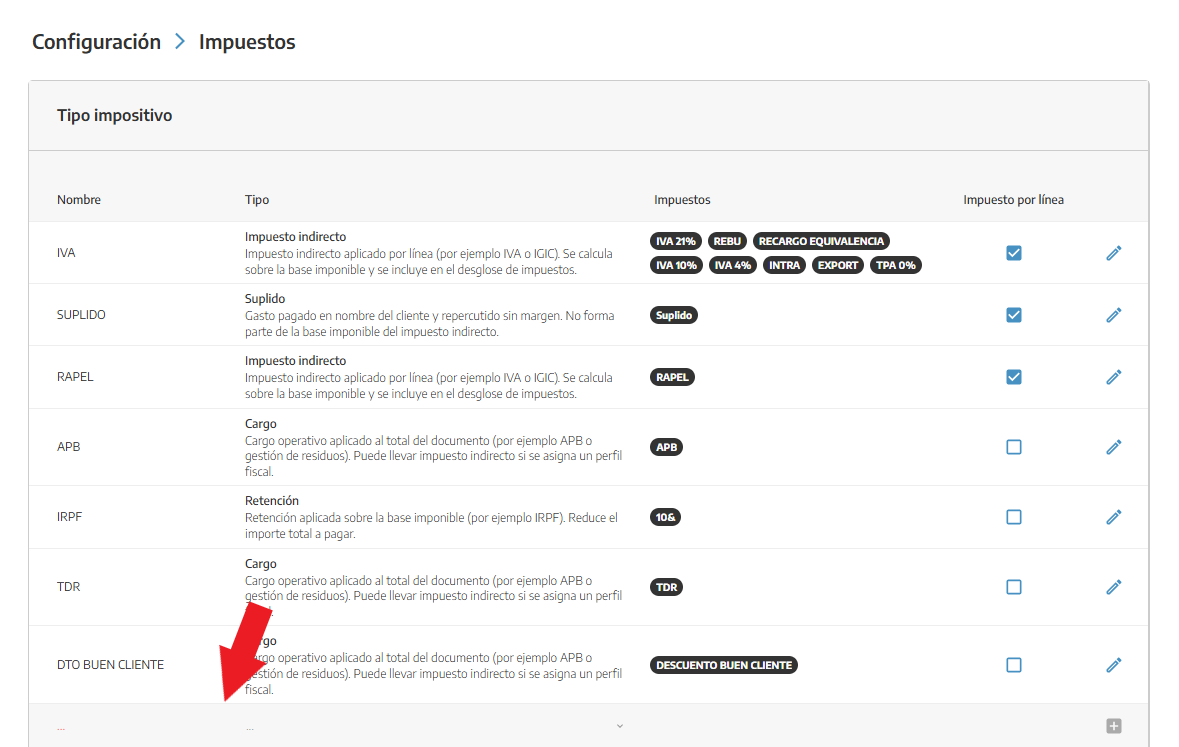
Once we’ve created our tax type, we’ll go into it to define its different percentages (VAT) or if it’s just a single percentage (IRPF, APB, TDR). To do this we’ll click the pencil on the right-hand side.
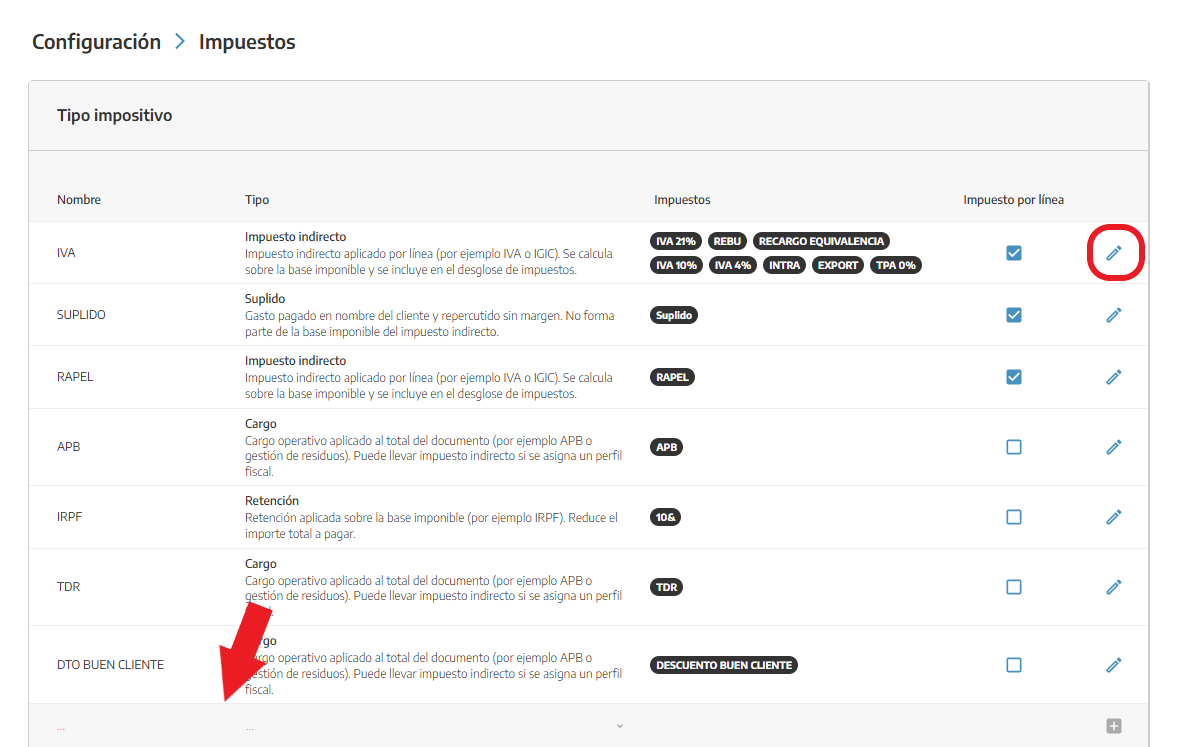
In this case we’ll configure VAT. Inside it we can define as many percentages as we need.
VAT 21%
VAT 10%
VAT 4%
…
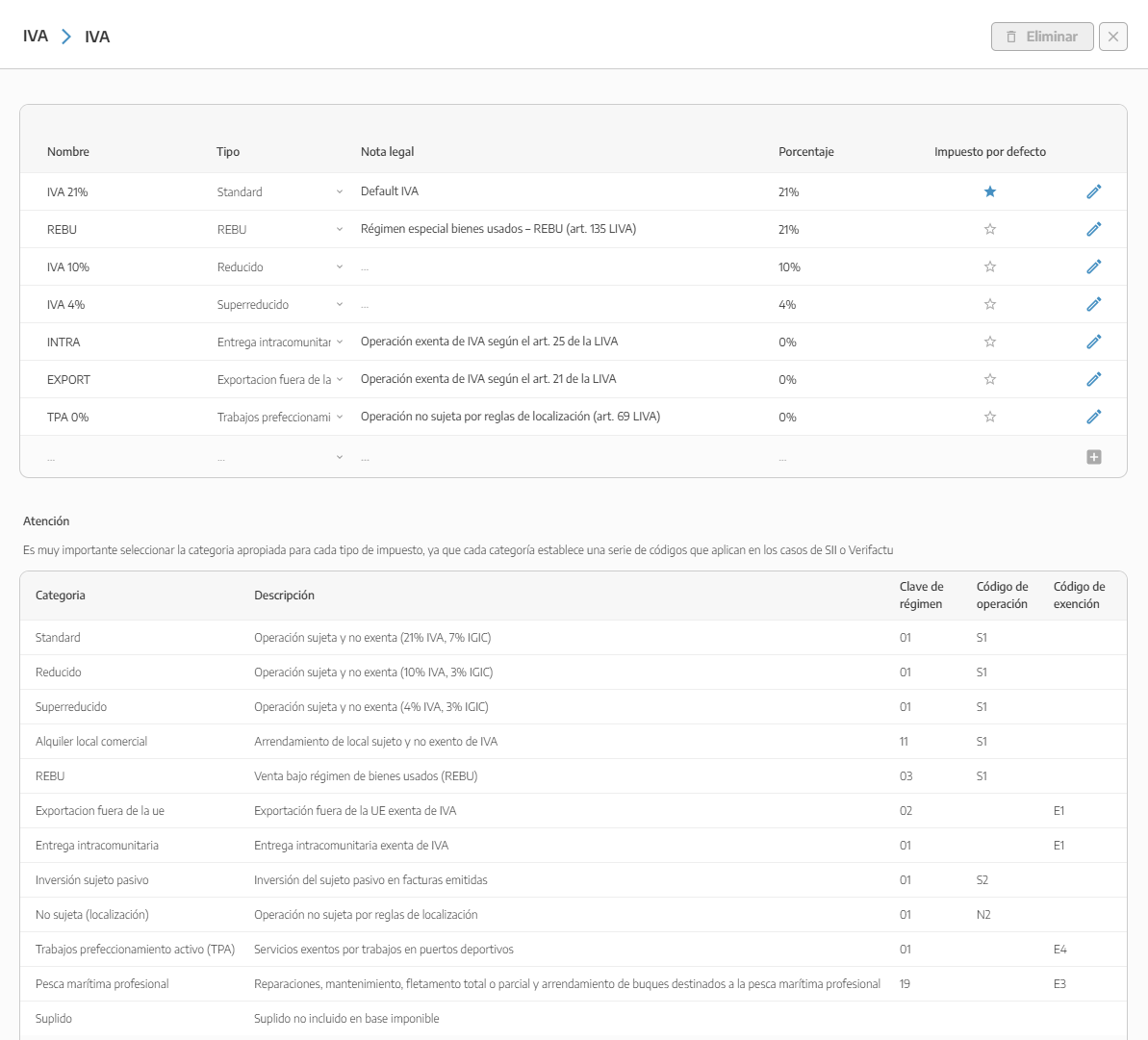
Once the VAT types are defined with their respective %, we can start linking these percentages to the respective documents or add a default tax to customers in their profile.
Taxes/ Discounts and additional customer information
Set up step by step the different taxes or discounts for your contacts.