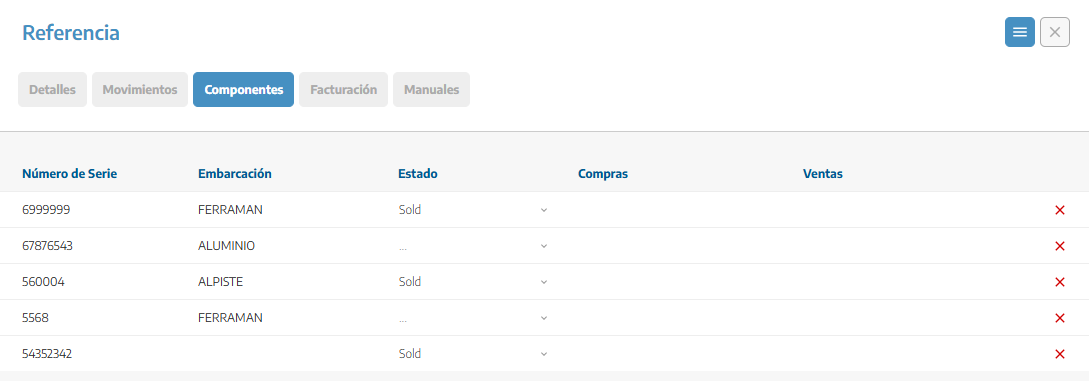
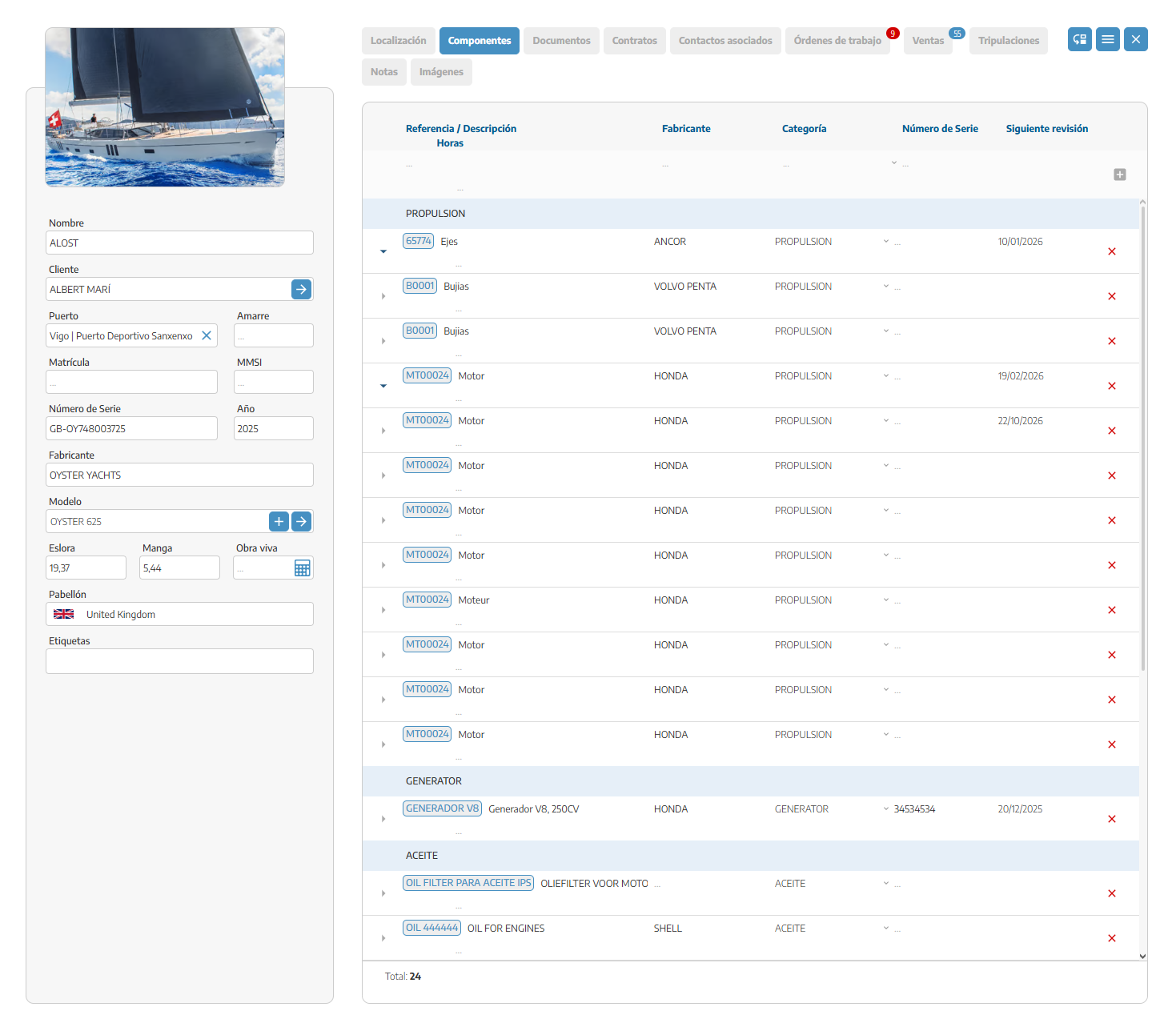
The Components module lets you fully manage all the parts, materials, and systems that are part of a vessel. Its goal is to make it easier to handle the technical control, maintenance, and traceability of every element of the boat.
From this section you can:
Register main components and their associated subcomponents.
Organize the elements of the boat by areas or categories.
Keep track of upcoming inspections and maintenance.
Log key information like serial numbers or manufacturers.
Check the history of interventions or part replacements.
To add a new component:
Open the Components menu.
Click on Add component.
Enter the main details of the component, such as:
Component name (e.g.: Engine, Bilge pump, Electrical panel).
Category or section it belongs to.
Component manufacturer.
Serial number, if applicable.
Subcomponents are the parts or elements that depend on the main component. To create them:
In the component list, select the main component.
Inside its record, go to the Subcomponents section.
Click on Add subcomponent.
Enter the name and details of the subcomponent (e.g.: spark plugs, pistons, belts, filters…).
Each component can be assigned to a category for better organization of the list. Examples of available sections:
Engine
Electrical part
Hydraulic systems
Structure
Navigation electronics
Within each component you can specify the manufacturer, which allows you to:
Identify original parts.
Filter the list by brand.
Find spare parts or technical documentation more quickly.
The serial number helps uniquely identify each part. To add it:
Go to the component record.
In the basic information section, enter the serial number.
The system lets you keep detailed control of upcoming interventions:
In the component record, go to Upcoming inspections.
Click on Add inspection.
Enter the planned date and a description of the work.
Each component keeps a history where the following are recorded:
Past inspections
Part replacements
Preventive or corrective maintenance
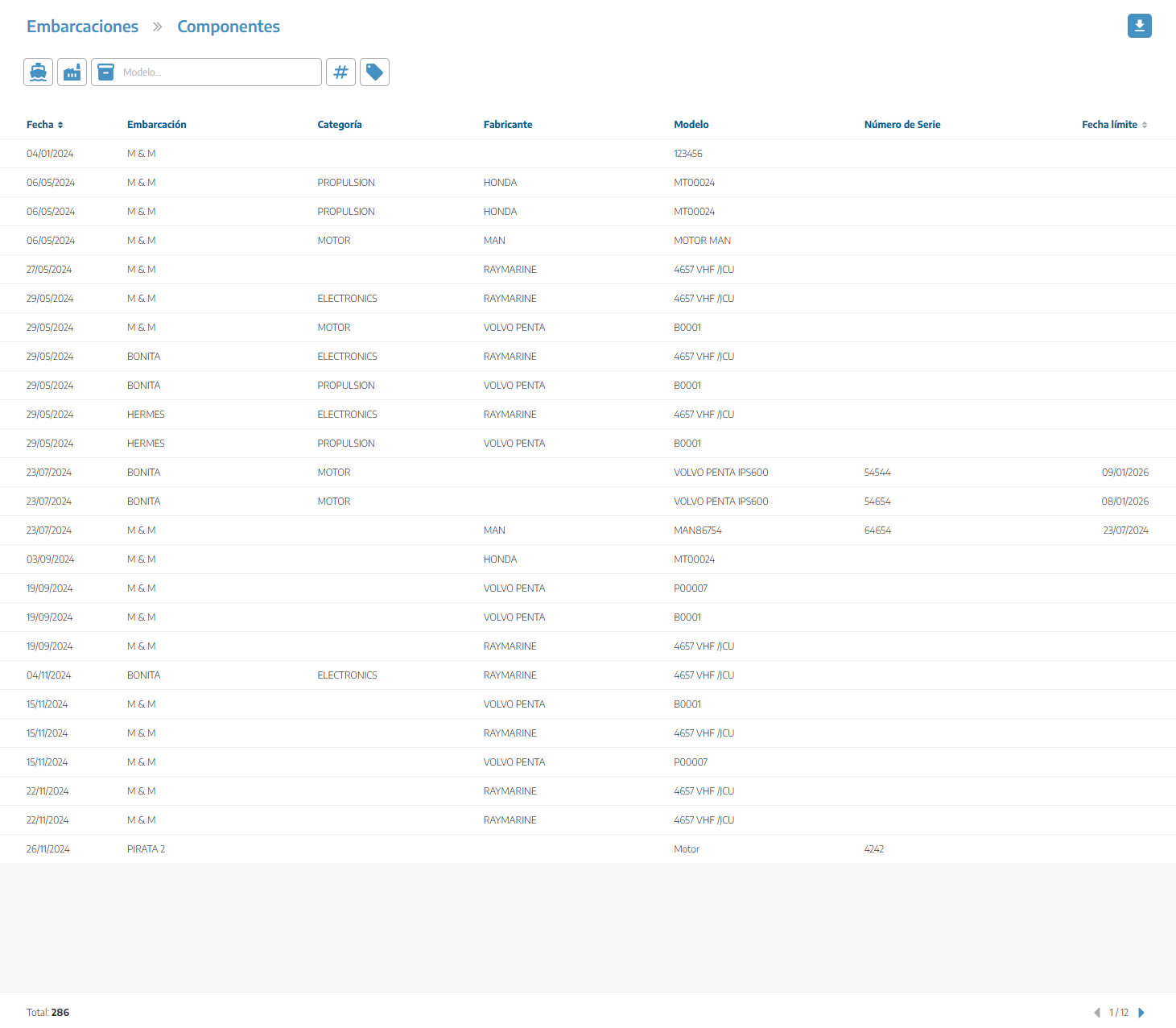
From the Vessels dropdown we can go into the Components section, where we can see the list of all components of all boats. Here we can filter by vessel, manufacturer, model, among others. This lets us export a list of the components to Excel.
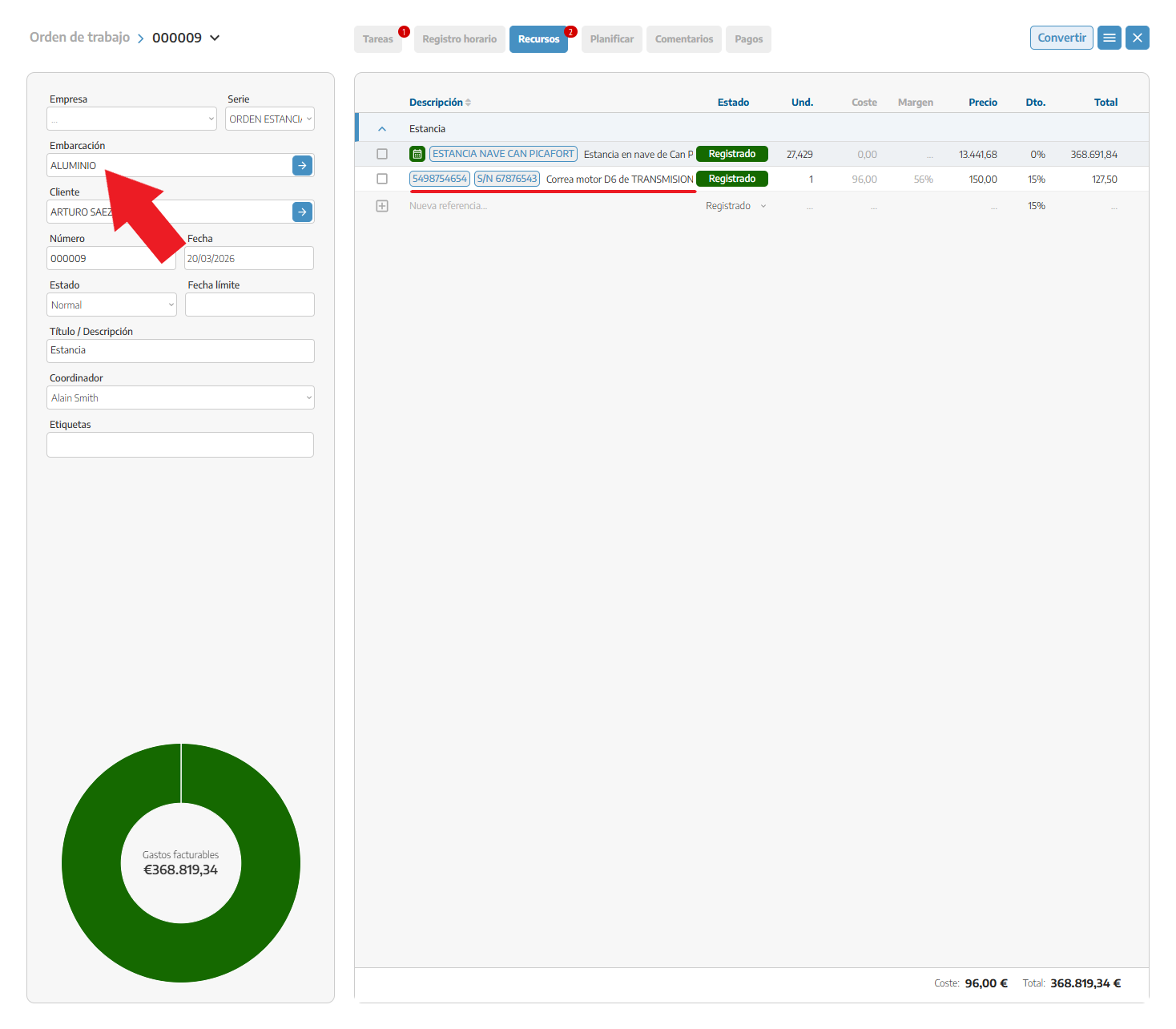
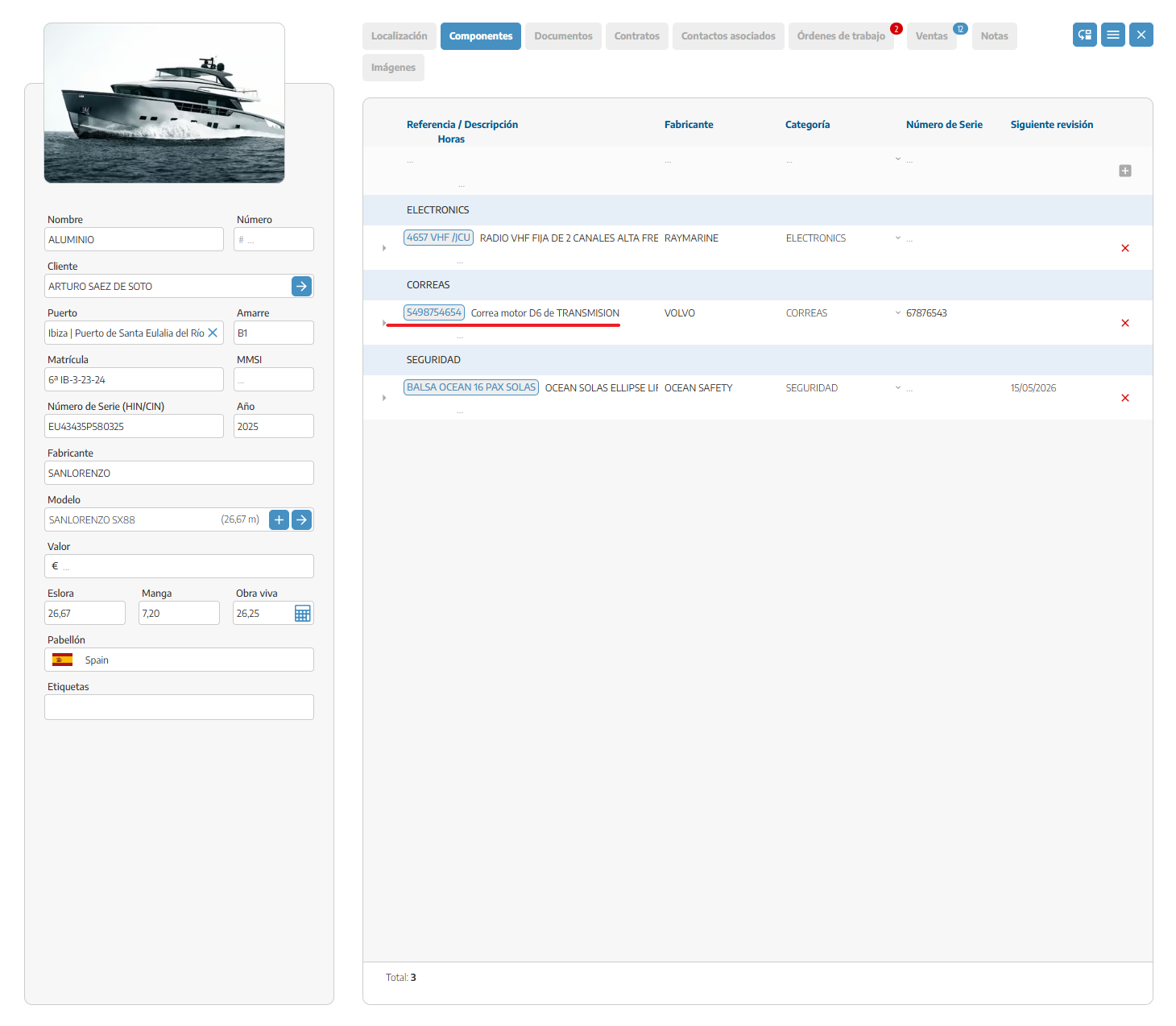
When we add a material with its corresponding serial number to a sales document, it will automatically be reflected in the components tab of the boat.
Here we can see the material registered in the boat components with its corresponding serial number.
Within the material we also have a components tab to see in which boats this material has been added, as well as all its serial numbers and the status it’s in (sold, in stock, reserved, installed, or if we have to return it to the supplier).