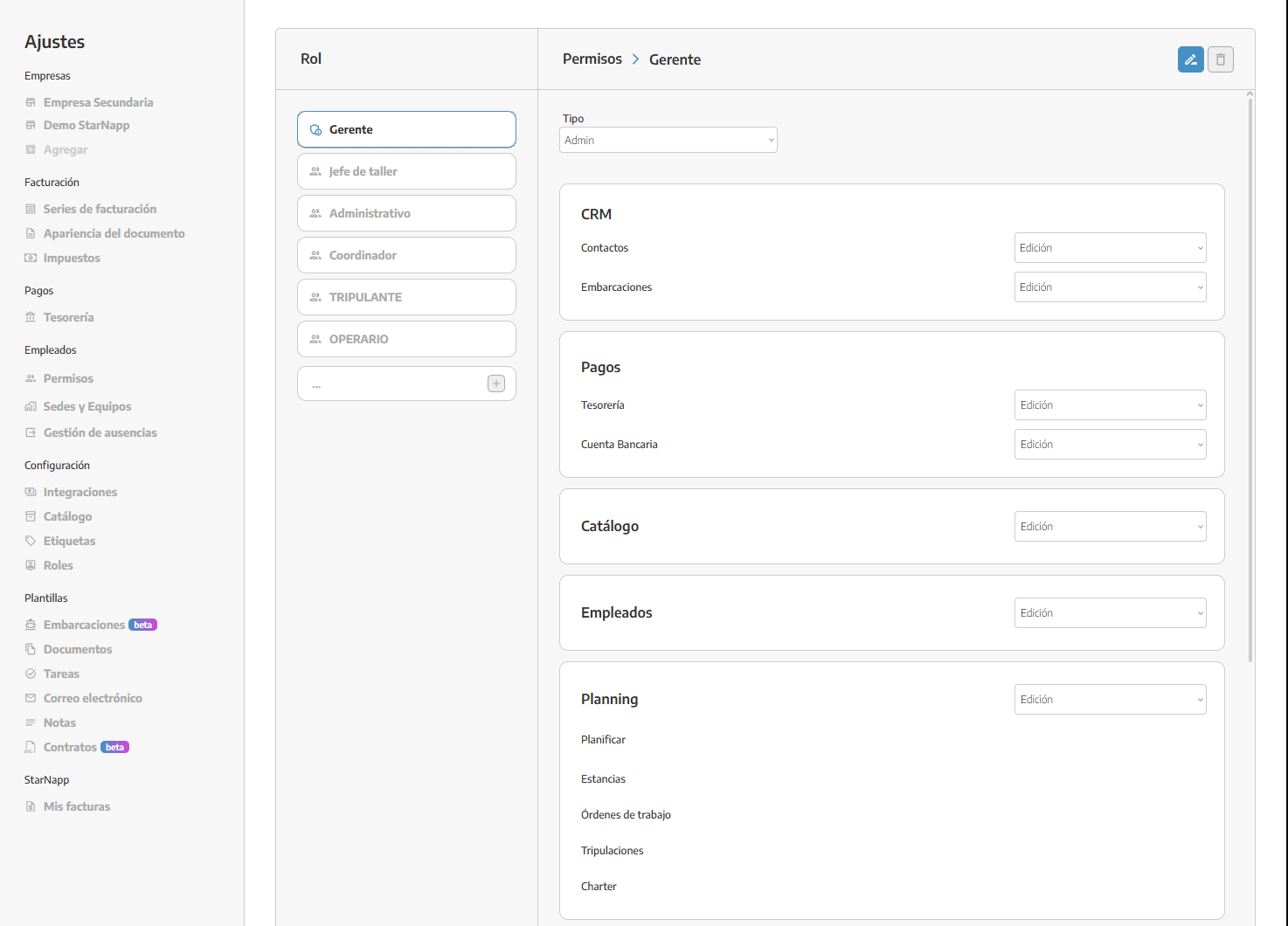
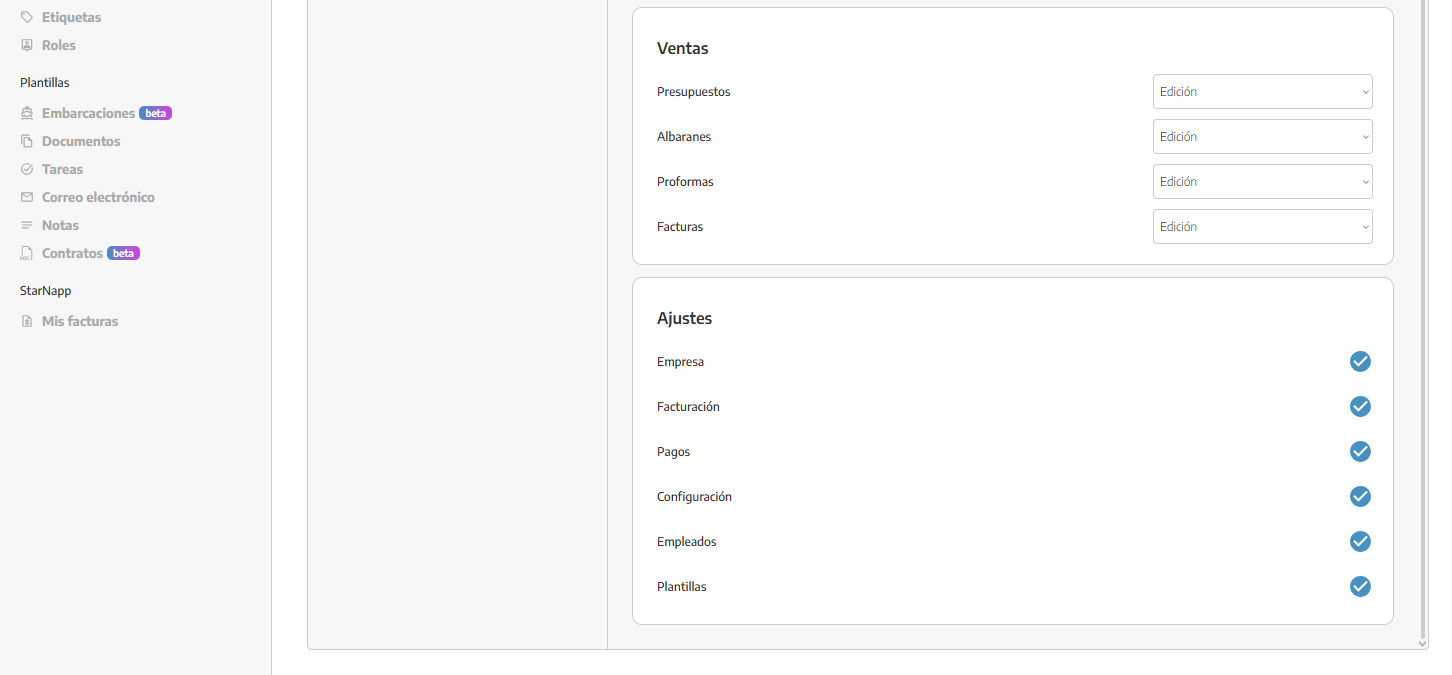
From the boat settings section, you can create as many roles as you need for all your employees. You can define exactly which tabs they can just view or can edit.
In the boat there will always be a ROLE that will have ADMIN permission so that it has full access to everything.
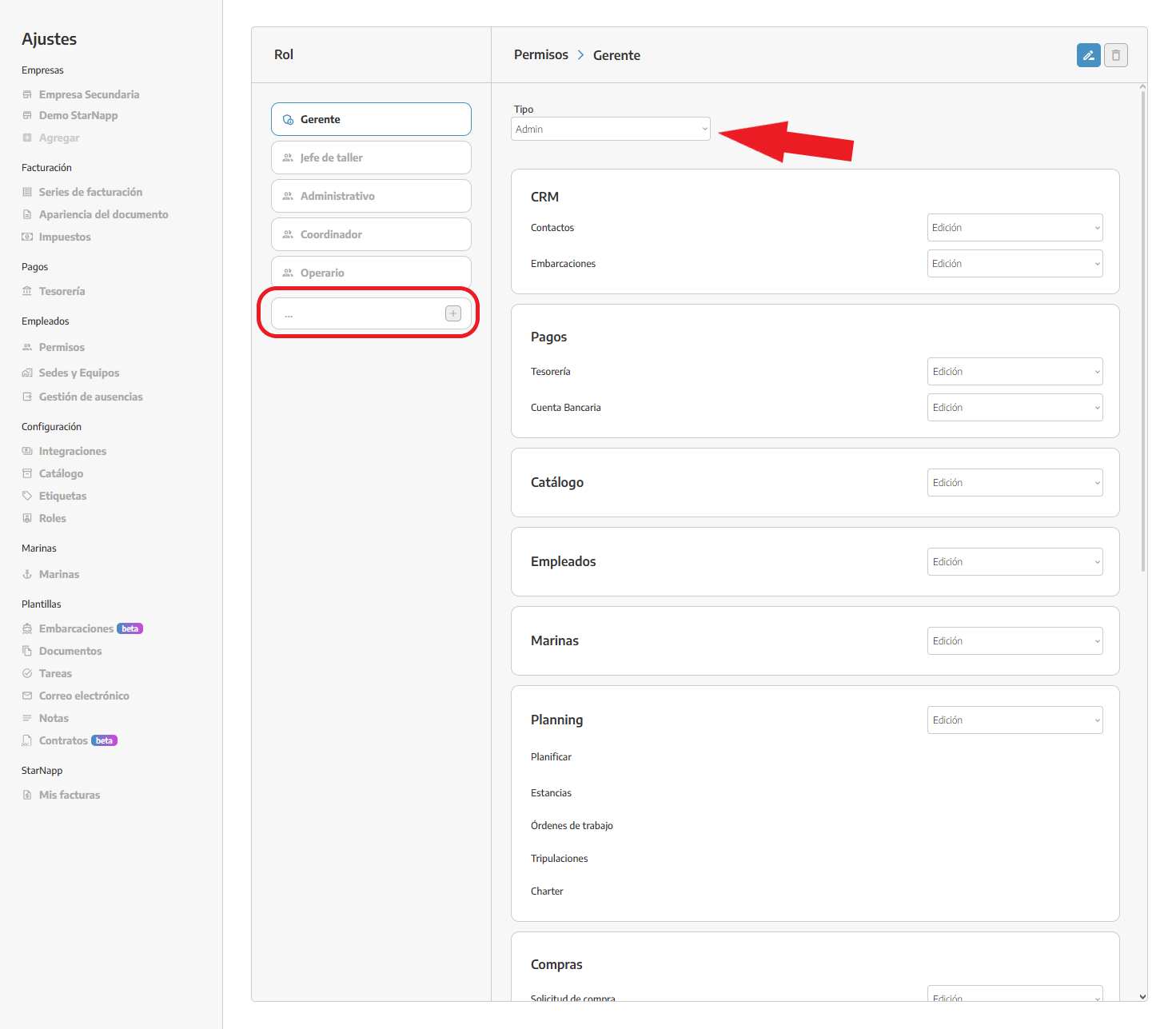
We have 8 sections that we can configure in each ROLE created:
CRM: this permission will control the ability to create, edit or view our contacts and vessels.
PAYMENTS: this will allow you to control access for those who can edit, create or view the transactions we have in our treasury or modify the credentials of our bank accounts.
CATALOG: this controls the entire catalog section, creating items, editing them, deleting them, modifying stock, modifying manuals.
EMPLOYEES: the employees permission controls employee profiles, allowing you to modify their name, email, associated cost, etc. You also need to keep in mind that whoever has this permission can modify, create and delete work logs for any employee; by default our employees can log hours from their phone in the MY TIME section.
PLANNING: this permission will allow us to create, edit, delete or view work orders, tasks, and modify their resources. In the planner section we can also add on which days we want to schedule our tasks, edit them or delete them.
PURCHASING: the purchasing permission will control who will have access to this section, being able to create and edit all types of purchasing documents, allocate materials to work orders, and place orders.
SALES: this permission controls the entire sales section, limiting or enabling who can create invoices, quotes, etc.
SETTINGS: the settings permission allows that user with that role to edit any parameter in the settings.