Purchase invoices represent the amounts that our company must pay to its suppliers for materials or services received.
Unlike the purchase order and the delivery note, the invoice has economic effects: it records a debt with the supplier and allows you to control its due date and payment.
We will go to:
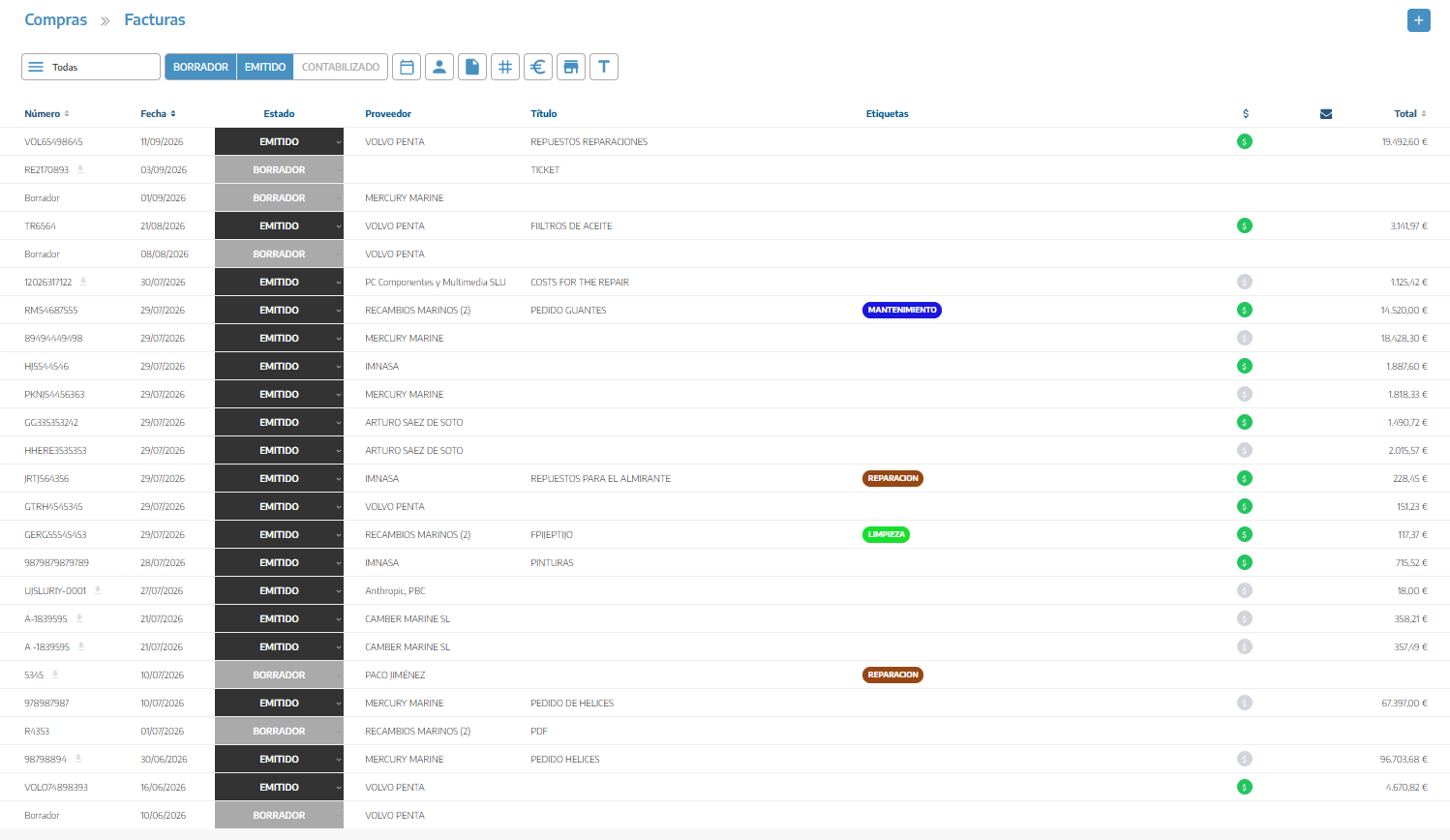
PURCHASES → INVOICES
From this section you will be able to consult the registered invoices and filter them by status, date, supplier, document number or tags.
You will also be able to export the list corresponding to the selected period when the download option becomes available.
This is the recommended option when you have previously registered the receipt of the material:
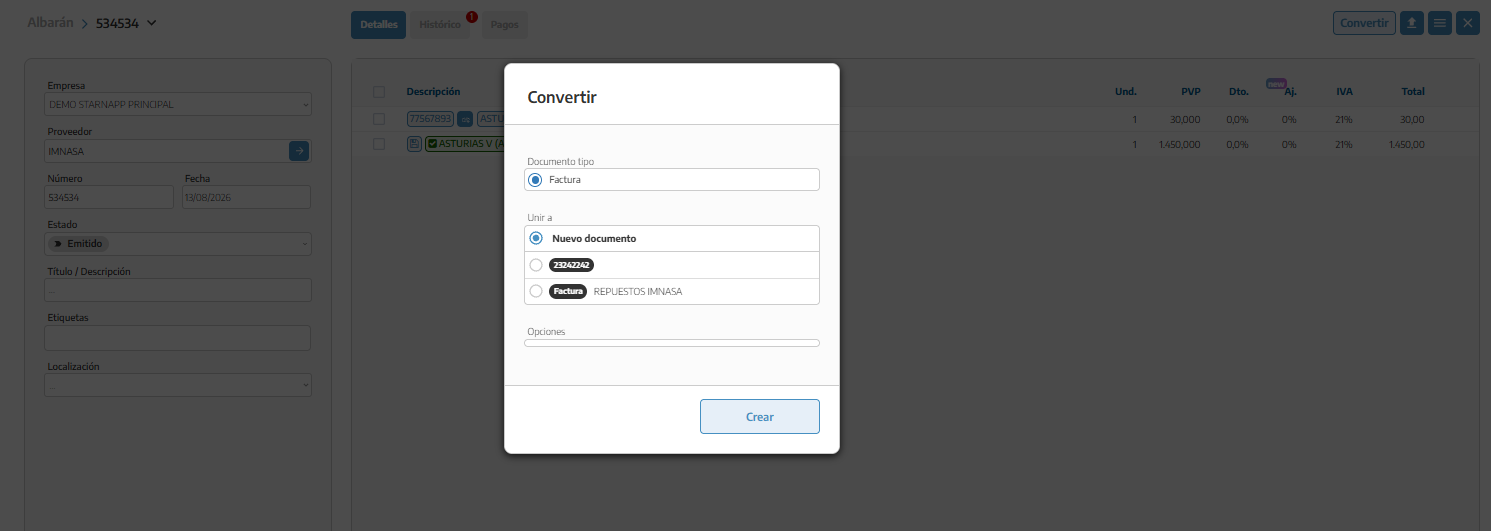
We will open the delivery note.
We will click Convert.
We will select Invoice.
We will create a new invoice or select an existing invoice.
We will review the data and the incorporated lines.
The invoice will maintain the relationship with the original delivery note and this will be processed once it has been fully incorporated.
If the supplier sends the invoice directly without a prior delivery note:
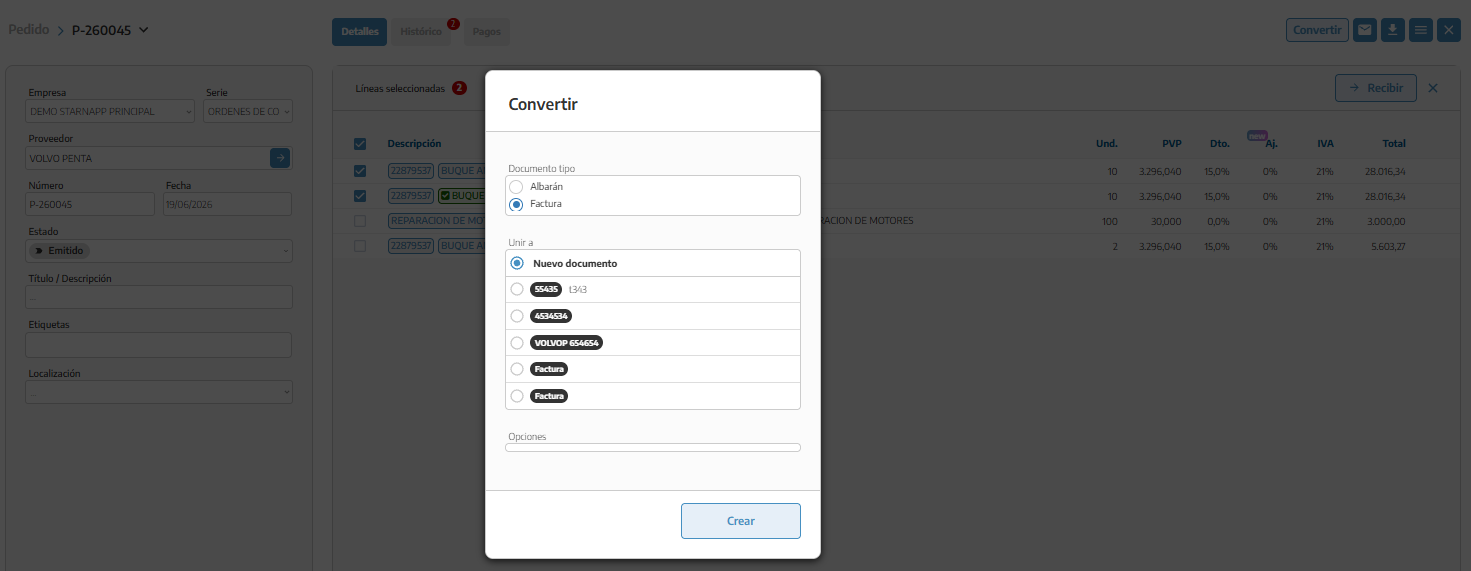
We will open the order.
We will select the received and invoiced lines.
We will click Receive.
We will select Purchase Invoice.
We will review the quantities and amounts.
This option simultaneously records the receipt and invoicing of the selected resources.
If you have the invoice in PDF or as an image, you can upload it from:
PURCHASES → INBOX
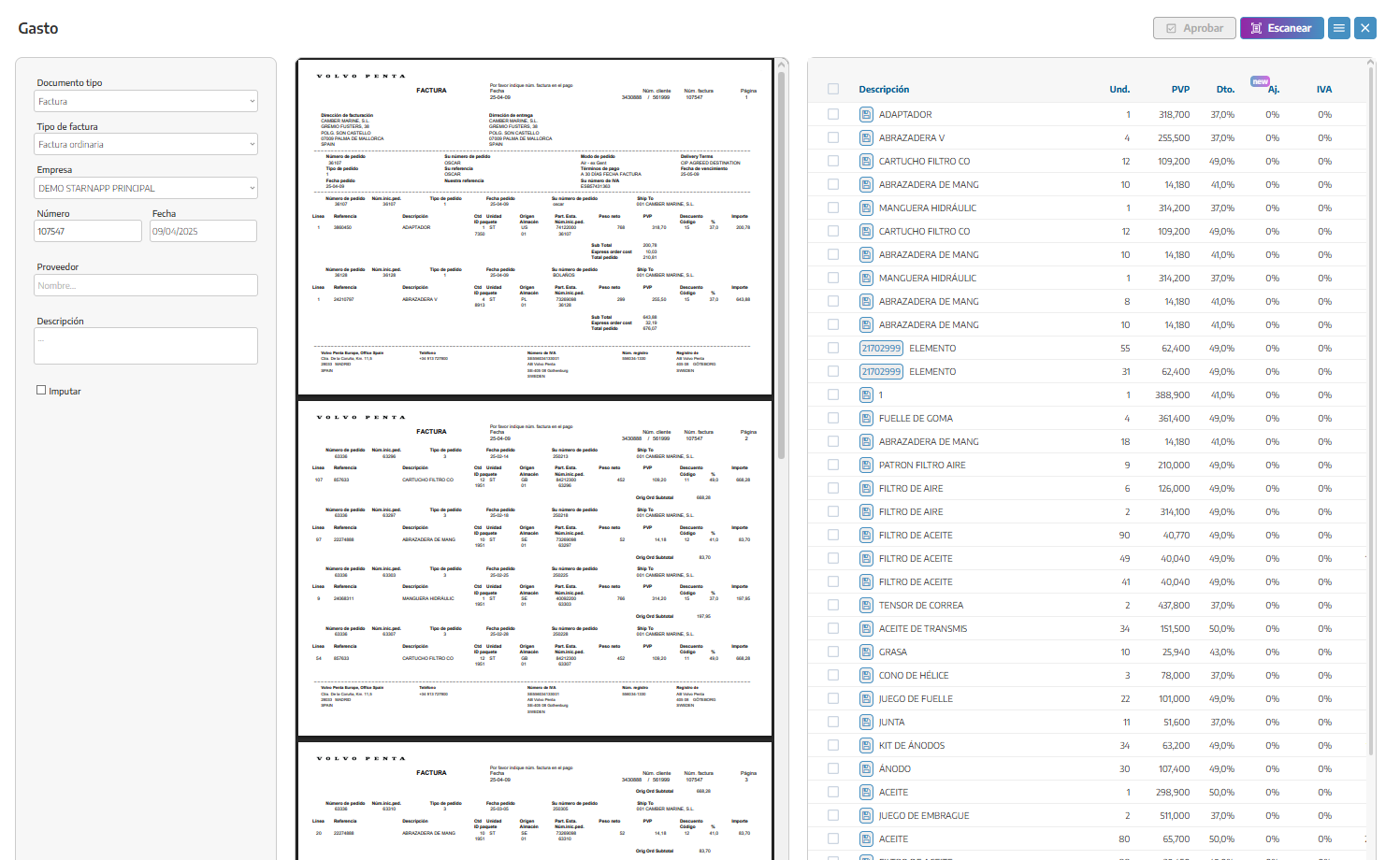
StarNapp will analyze the file and prepare a draft with the recognized information. Before confirming it, we will review everything.
Automatic recognition facilitates data entry, but does not replace its review.
If there is no previous document:
We will access Purchases → Invoices.
We will press the + button.
We will select the company and the supplier.
We will enter the invoice data.
We will add its lines.
We will save the document.
It is the company in our organization that receives and records the invoice.
This is the contact that issued the invoice.
We must verify that their tax information is correctly registered.
We will enter the number that appears on the vendor's invoice. StarNapp does not generate internal sales numbering for this document.
This is the issue date indicated by the vendor.
It indicates when we must make the payment. It can be calculated using the payment terms configured for the vendor or entered manually.
It allows you to identify the reason for the purchase.
For example: Spare parts and maintenance of HERMES.
We can use them to classify the invoice and locate it using the filters in the list.
In the lines we will record:
Reference and description.
Quantity.
Unit purchase price.
Discount.
Adjustment or surcharge.
Tax.
Total amount.
If the invoice comes from a purchase order or delivery note, the lines will be copied automatically. We must compare them with the received invoice and correct any differences before issuing it.
A single supplier invoice can include multiple delivery notes.
In that case:
We will create the invoice from the first delivery note.
When converting the following ones, we will select the already existing invoice.
StarNapp will add its lines and maintain the relationship with all delivery notes.
The existing invoice is not replaced: it is expanded with the new lines.
The purchase invoice affects inventory.
If we create it directly, without a prior delivery note, we will also be registering the receipt of the materials included.
If the material was already received via a delivery note, we will convert or link that delivery note with the invoice. We will not enter the same purchase independently again, because we could duplicate resources or lose traceability.
The lines of an invoice created directly can be allocated to a work order or internal task as we have explained in the previous articles in the Purchases
The allocation assigns the resources and their costs to the selected work; it does not necessarily link the entire invoice.
If the lines were already allocated from the delivery note, we should not repeat the process on the invoice.
When registering the invoice, you will select the type corresponding to the document received. Among the available options you can find:
Standard invoice: usual purchase invoice.
Simplified invoice: simplified document or receipt that meets the corresponding requirements.
Corrective invoice for differences or credit: corrects amounts from a previous invoice.
Substitute corrective invoice: replaces the data from a previous invoice when applicable.
You must choose the type that actually appears in the supplier's document. You should not use a corrective invoice solely to correct an entry error made in a draft.
The payment status is independent of the documentary status of the invoice.
You can modify certain statuses manually, but when there is a bank transaction, it is recommended to reconcile it from Treasury. In this way, StarNapp maintains the relationship between the invoice and the actual payment.
When an invoice has already been recorded in the accounting system, we can mark it as Accounted.
This status indicates that the invoice has completed its accounting management. It does not necessarily mean that it has been paid.
For example, an invoice can be:
Accounted and unpaid, if it has already been recorded in the accounting system, but has not yet matured.
Accounted and paid, if its payment has also been reconciled.
Issued and paid, if the payment is recorded, but it has not yet been marked as accounted.
If we use an accounting integration, we will also check the result of its synchronization with the external program.
Draft: we can modify the data and the lines.
Issued: the invoice has been confirmed and is now part of the economic control.
Accounted: the invoice has been treated accounting-wise.
These states are different from payment states and configurable labels.
We can attach the PDF or image received from the supplier to keep the original document together with its record in StarNapp.
This allows you to verify the entered data later and facilitates its consultation by administration or accounting.
We will enter the exact number of the supplier's invoice.
We will always review taxes, quantities and amounts.
We will use conversions to maintain the relationship between documents.
We will not re-register materials already received via a delivery note.
We will not confuse Issued, Recorded and Paid.
We will allocate only the lines intended for each work order.
We will keep the original supplier document attached.
To record the actual payment, we will preferably use Treasury reconciliation.
