Contract templates allow you to configure the structure of contracts that you will use regularly. You can load a base document and indicate where the client data, vessel, mooring, or component information should appear, as well as the fields that the recipient must complete or sign.
Access and creation of a contract template
Go to:
SETTINGS → TEMPLATES → CONTRACTS
On the left side you will see the available templates. When you select one, its content will open in the editor.
To create a template:
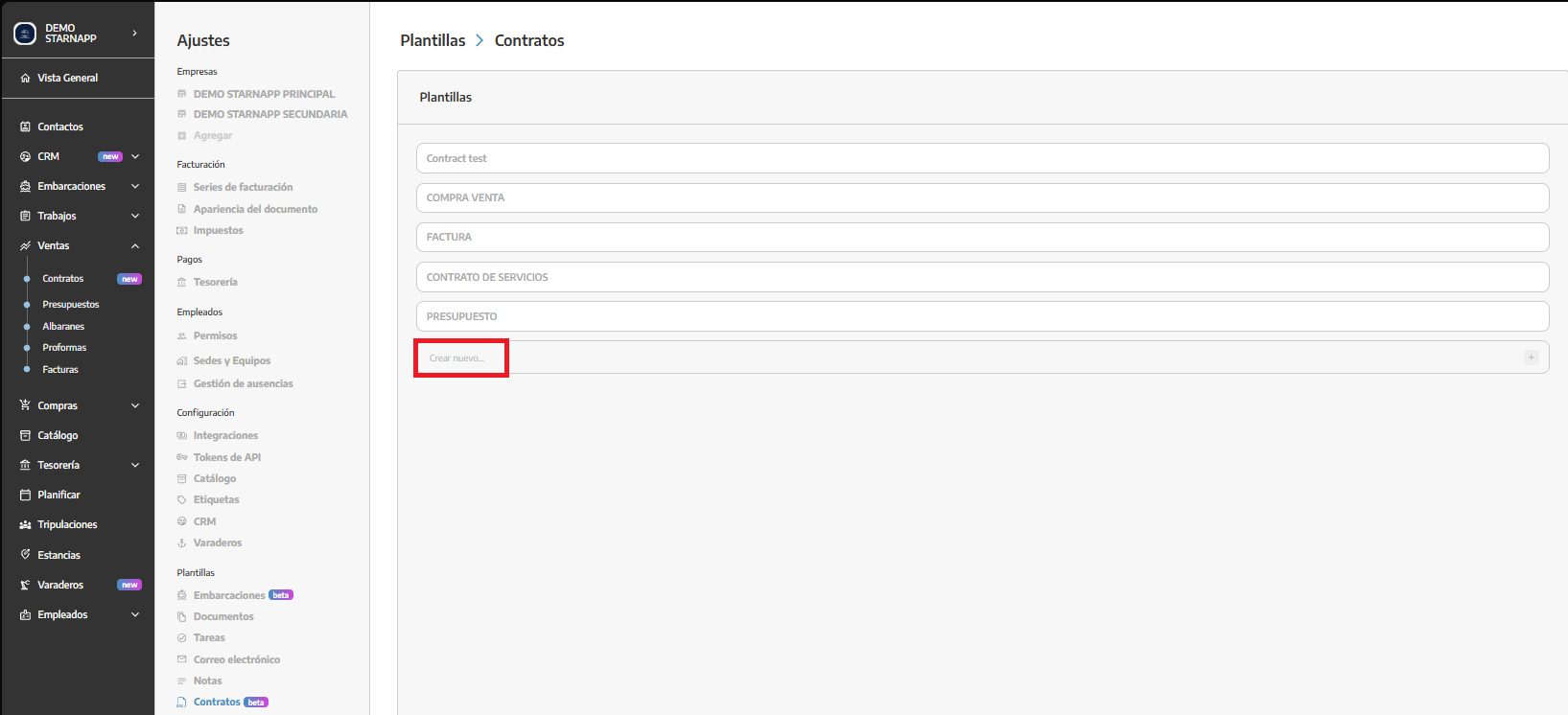
We will write a name in the Create new field.
We will click the + icon.
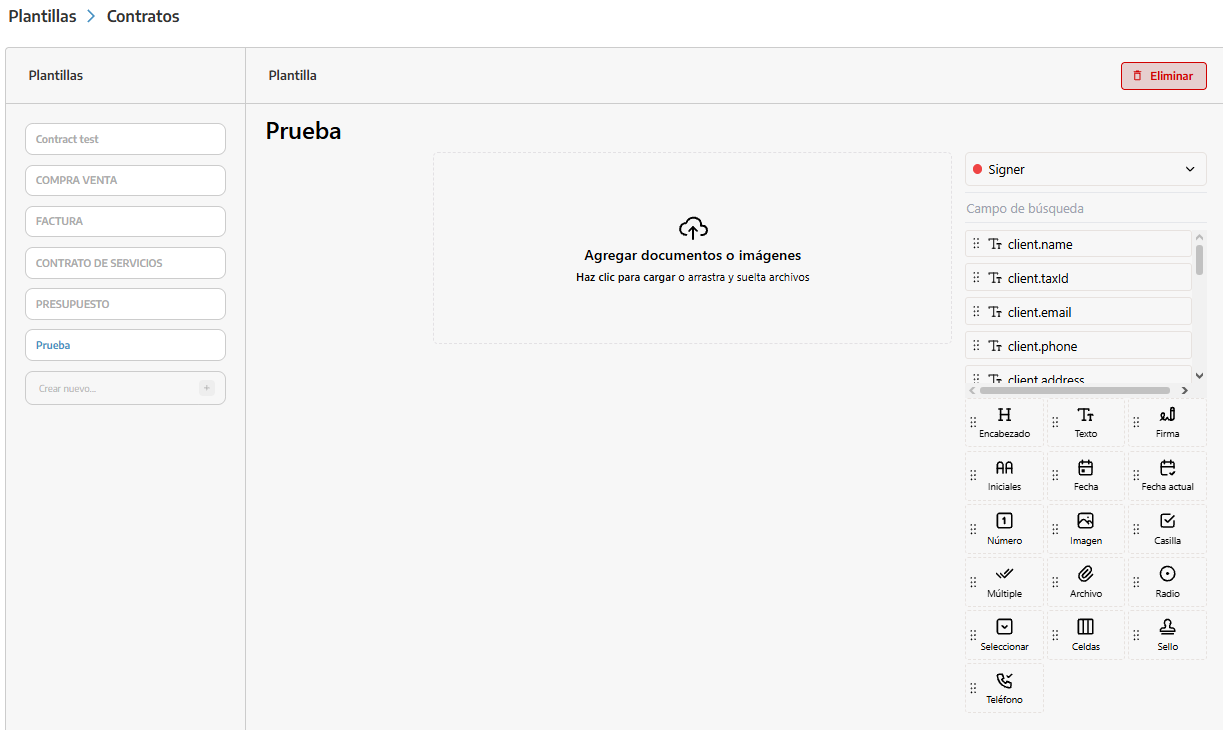
The contract editor will open.
We will load the file that we will use as the base document.
We will add the necessary fields in the corresponding positions.
Once the template is created, we will use the integrated editor to prepare the contract.
The base document should contain the texts and general clauses that will remain the same in all contracts of that type.
If it is a legal document, we recommend validating its content with the advisory team before using it.
On the document we can place different types of fields, including:
Text.
Number.
Phone.
Date.
Current date.
Checkbox.
Single or multiple selection.
Dropdown list.
Signature.
Initials.
Stamp.
Image.
Attachment.
We will drag each field to the corresponding position and adjust its size so that the content is displayed correctly.
We will also indicate whether the field is required. A required field must be completed before finalizing the signature.
We will use standard fields when we want the recipient to enter information manually.
The template works with the Signer role, which corresponds to the person who must review and sign the contract.
The editor also offers dynamic fields that StarNapp can complete with already registered information.
We must select the field with the exact name that appears in the editor.
client.name: client name.
client.taxId: tax ID or fiscal identification.
client.email: email address.
client.phone: phone number.
client.address: address.
vessel.name: name of the vessel.
vessel.manufacturer: manufacturer.
vessel.registration: registration.
vessel.model: model.
vessel.length: length.
vessel.beam: beam.
mooring.name: name or number of the mooring.
mooring.length: permitted length.
mooring.beam: permitted beam.
component.description: description.
component.serialNumber: serial number.
component.manufacturer: manufacturer.
component.model: model.
component.dateInstallation: installation date.
component.dueDateWarranty: warranty expiration date.
component.dueDateMaintenance: next maintenance date.
component.hours: recorded hours.
Data can only be completed if it is registered in the corresponding record. If information is missing in StarNapp, the field may be left empty.
We will select the template from the list.
The editor will load the document and its fields.
We will modify the text, title, or position and configuration of the fields.
We will verify that the changes have been saved before exiting.
Modifications are made directly from the editor. StarNapp does not display an independent Edit button as in other template sections.
We will select the template.
We will press Delete.
We will confirm the action.
The template will no longer appear in the list and can no longer be used to prepare new contracts.
What should we keep in mind?
This function is marked as beta (it is in testing).
The name must clearly identify the type of contract.
The base document must not contain information from previous customers.
Dynamic fields must retain exactly the name shown in the editor.
Automatic data depends on the information registered in StarNapp.
Signature and acceptance fields must be assigned to the signer.
We will review the position and size of all fields.
We will validate the legal content before starting to use the template.
