The CONVERT button is the single crossing point between the different sales document types (QUOTE, WORK ORDER, DELIVERY NOTE, PROFORMA and INVOICE). Instead of creating each document from scratch, we generate it from an existing one, keeping its content.
Inside any document, the CONVERT button sits at the top right.
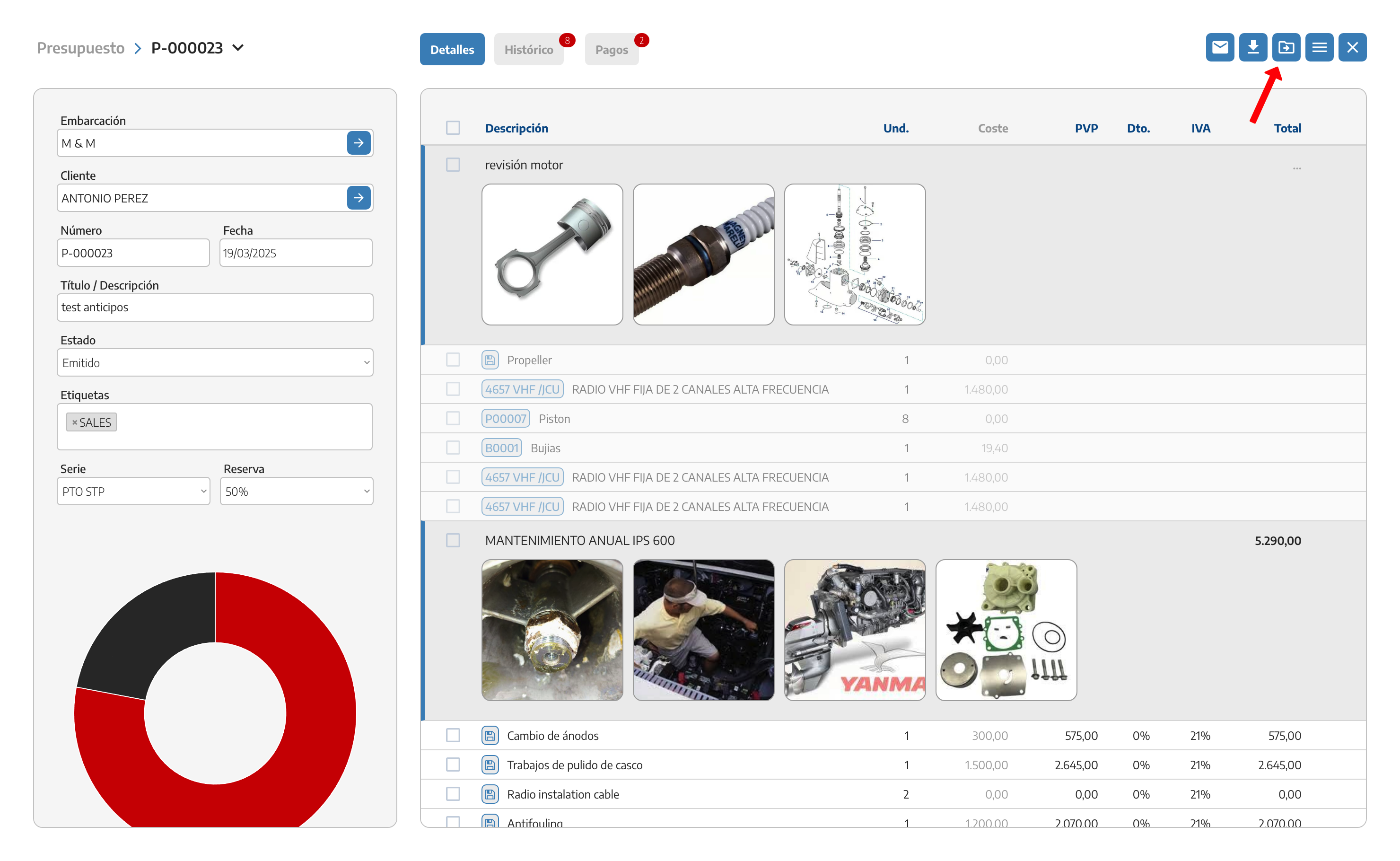
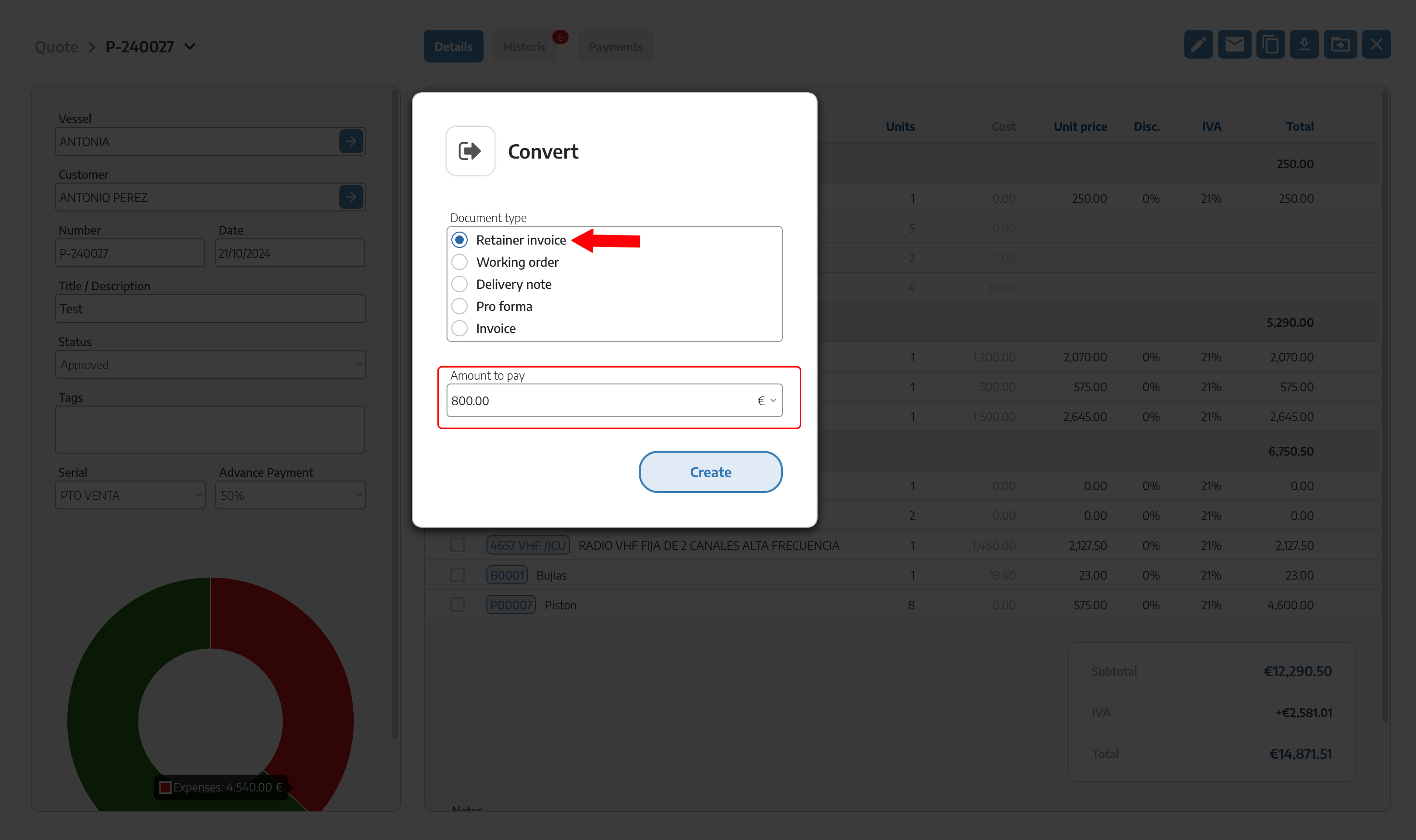
When we press it, we choose which document type to convert it to. The options available depend on the source document type.
A QUOTE can be converted directly into an INVOICE, a DELIVERY NOTE or a PROFORMA, or into a WORK ORDER if work needs to be carried out first.
A WORK ORDER can be converted into a DELIVERY NOTE, a PROFORMA or an INVOICE.
A DELIVERY NOTE or a PROFORMA can be converted into an INVOICE.
An issued INVOICE can only be converted into a CREDIT NOTE or a CORRECTIVE INVOICE (see Credit notes and corrective invoices).
Any of the five types can also be created on its own, without going through a previous document — we don't always have to start from a quote.
When we convert a WORK ORDER into a DELIVERY NOTE, a PROFORMA or an INVOICE, StarNapp lets us choose whether we want to bill the resources from the original QUOTE or from the work order itself.
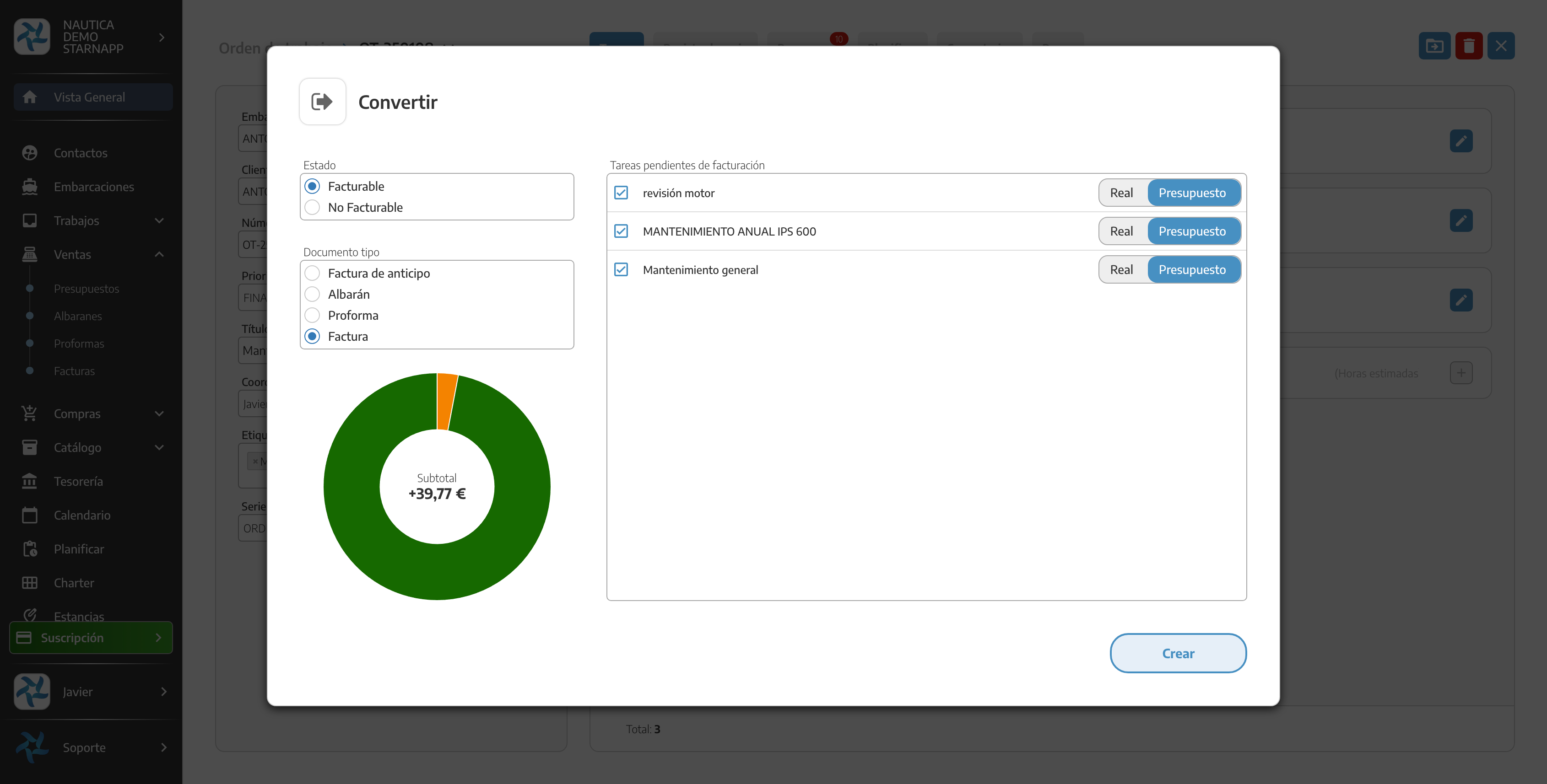
This choice is a step in the conversion wizard itself, not a fixed property of the document: the quote and the work order can hold different content, and we decide at that moment which one carries over to the invoice.
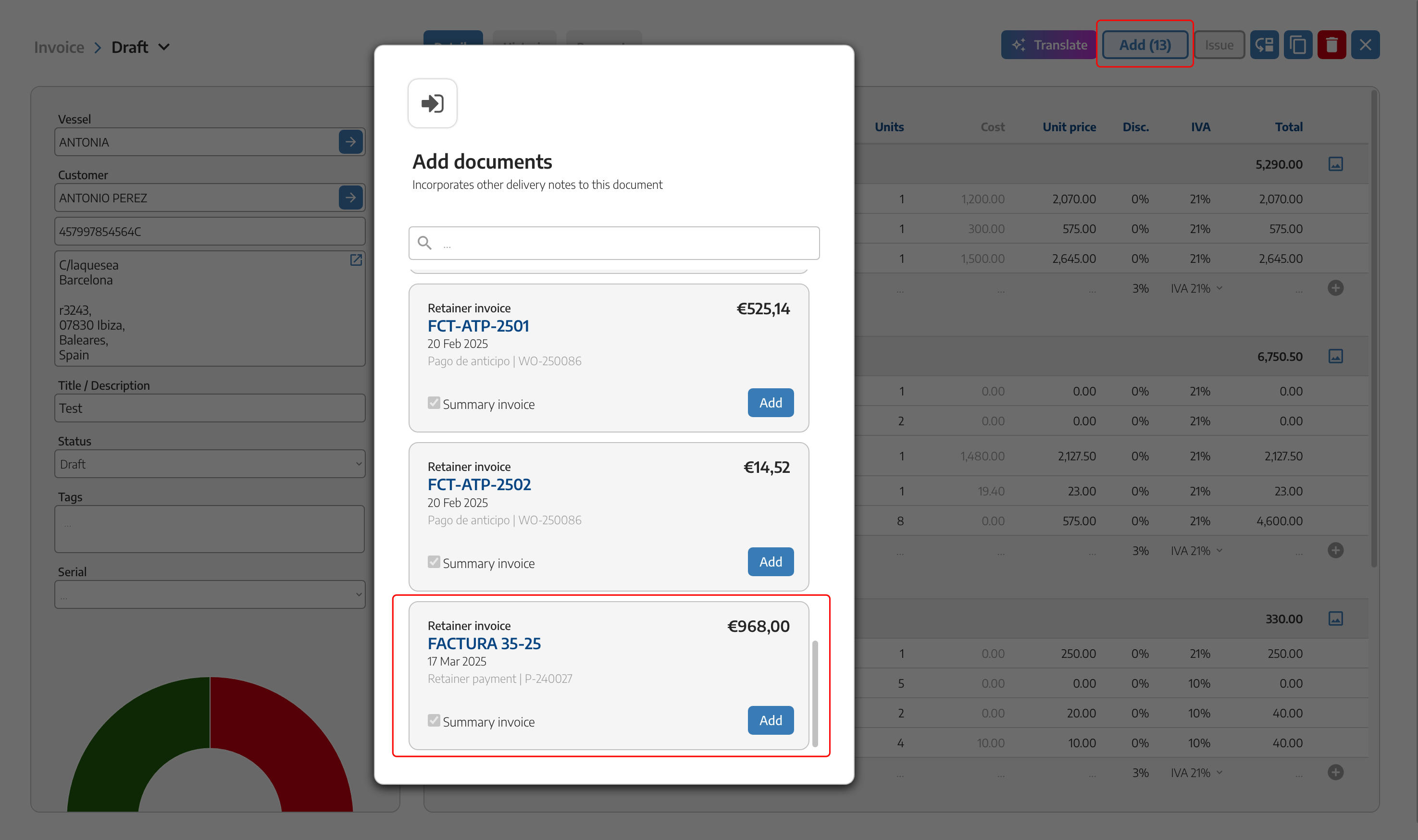
When we convert a document into a final INVOICE or PROFORMA, the ADD (n) button appears at the top right, with the number of already-linked documents we can bring in: deposits already invoiced, or delivery notes/proformas still pending to be invoiced.
When we press ADD, we choose which document to bring in. The sign of the resulting line depends on what we're adding:
If we add a deposit already invoiced and paid, it's brought in as a negative line — it's deducted, because that amount was already invoiced and collected before.
If we add a delivery note or proforma with content still pending to be invoiced, it's brought in as a positive line — it's added, because that content hadn't been invoiced yet.
It's the same mechanism in both cases: what changes is whether the added document had already been invoiced or not, never how the button itself is used. For the detail on RESERVE and deposit invoices, see Invoices.
Direct sale isn't a special mode inside CONVERT, it's simply leaving out the VESSEL: any Sales document can be created or converted with only the CUSTOMER, without linking it to any boat.
It's useful for selling standalone products or services that aren't tied to a specific boat — for example, over the counter or on POS. The resulting document can still be converted normally, just like one with a vessel.
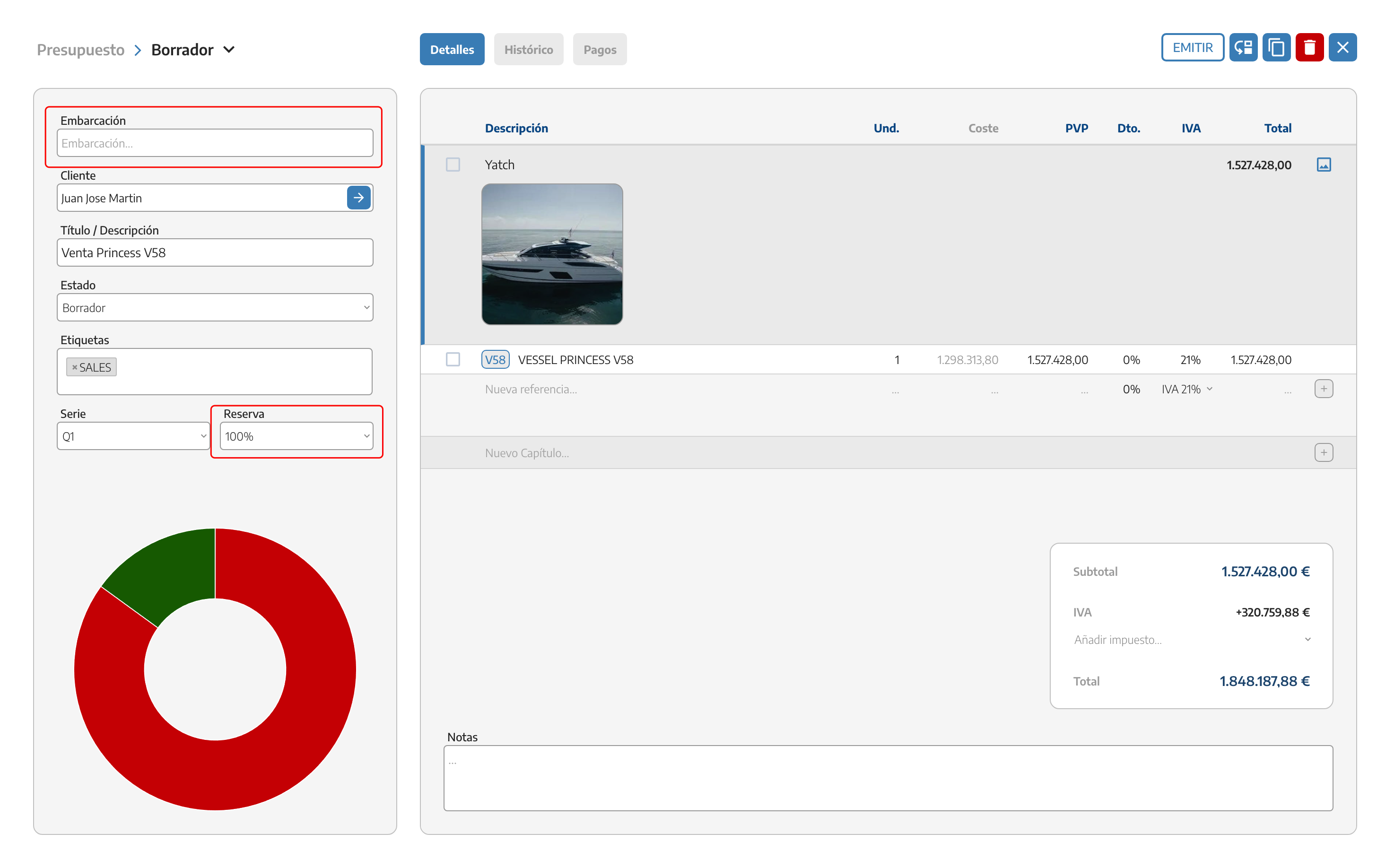
CONVERT creates a previous/next document relationship (it becomes part of the conversion graph). COPY doesn't: it generates a new, independent document with no relationship to the original — these are different mechanisms, see Working with sales documents.
We don't have to go through a quote or a work order: any document type can also be created on its own — see Quotes.
Direct-sale costs are still tracked the same way in profitability reports, even though no vessel is linked to the document.
For the complete map of the sales flow and where each document type fits, see Sales flow.
