The invoice is the final document of the sales flow: the only one with full fiscal value. It can be created the same way as any other sales document, or generated by converting a quote, a work order, a delivery note or a proforma — see Converting documents.
When we finish loading an invoice, we press ISSUE. In the pop-up, a dropdown appears with the invoice type: regular or Simplified invoice.
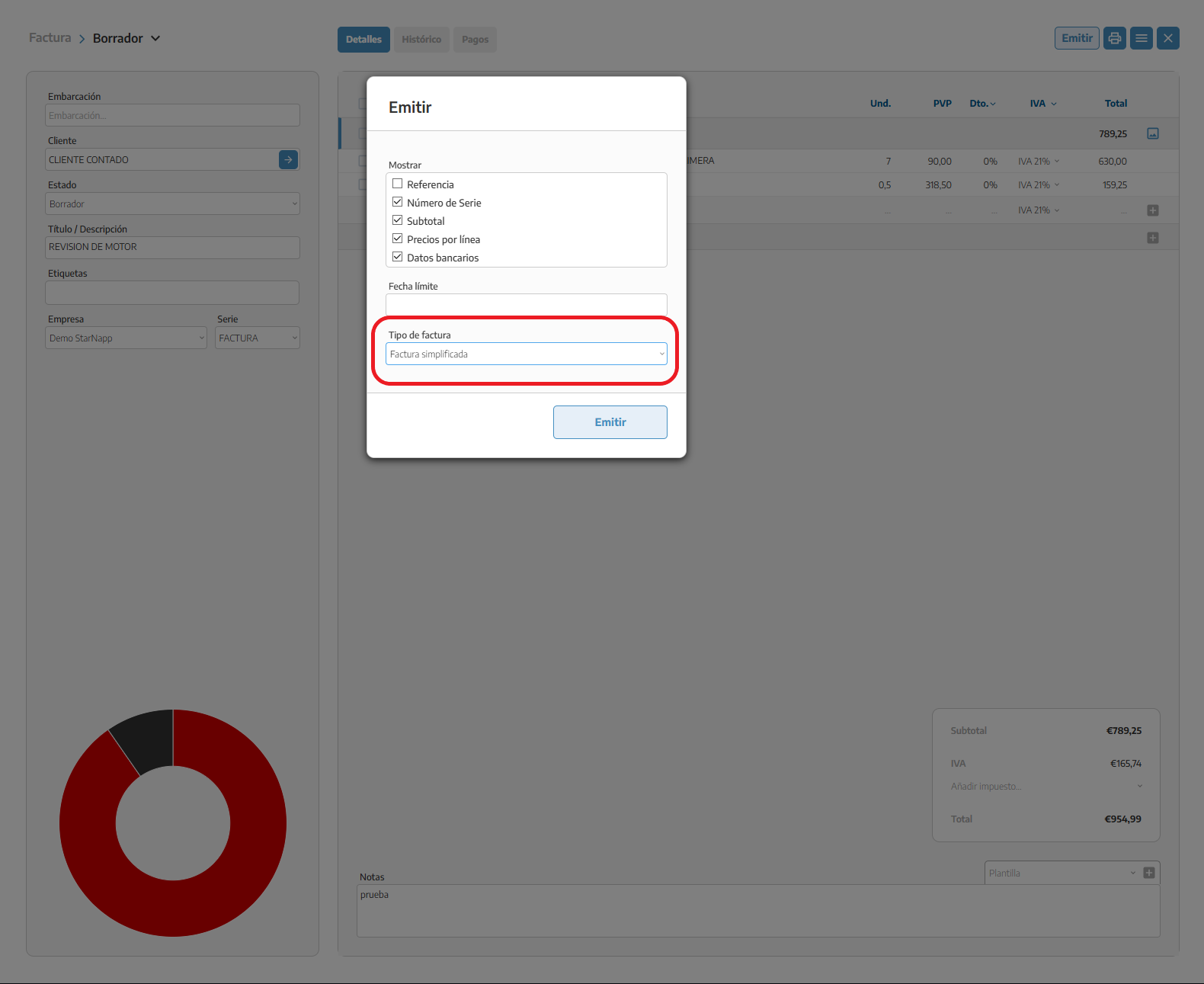
The simplified invoice is useful when:
The customer is a "cash" customer (not registered, or doesn't need a full fiscal profile). For these cases it helps to have a generic customer such as "Cash" already created in CONTACTS, to use for all sales of this type.
These are direct, quick sales, like a counter/POS receipt.
Issuing a full invoice isn't required by regulation.
The choice is made at the moment of ISSUING, not when creating the document: we can prepare the invoice normally and decide the format at the end.
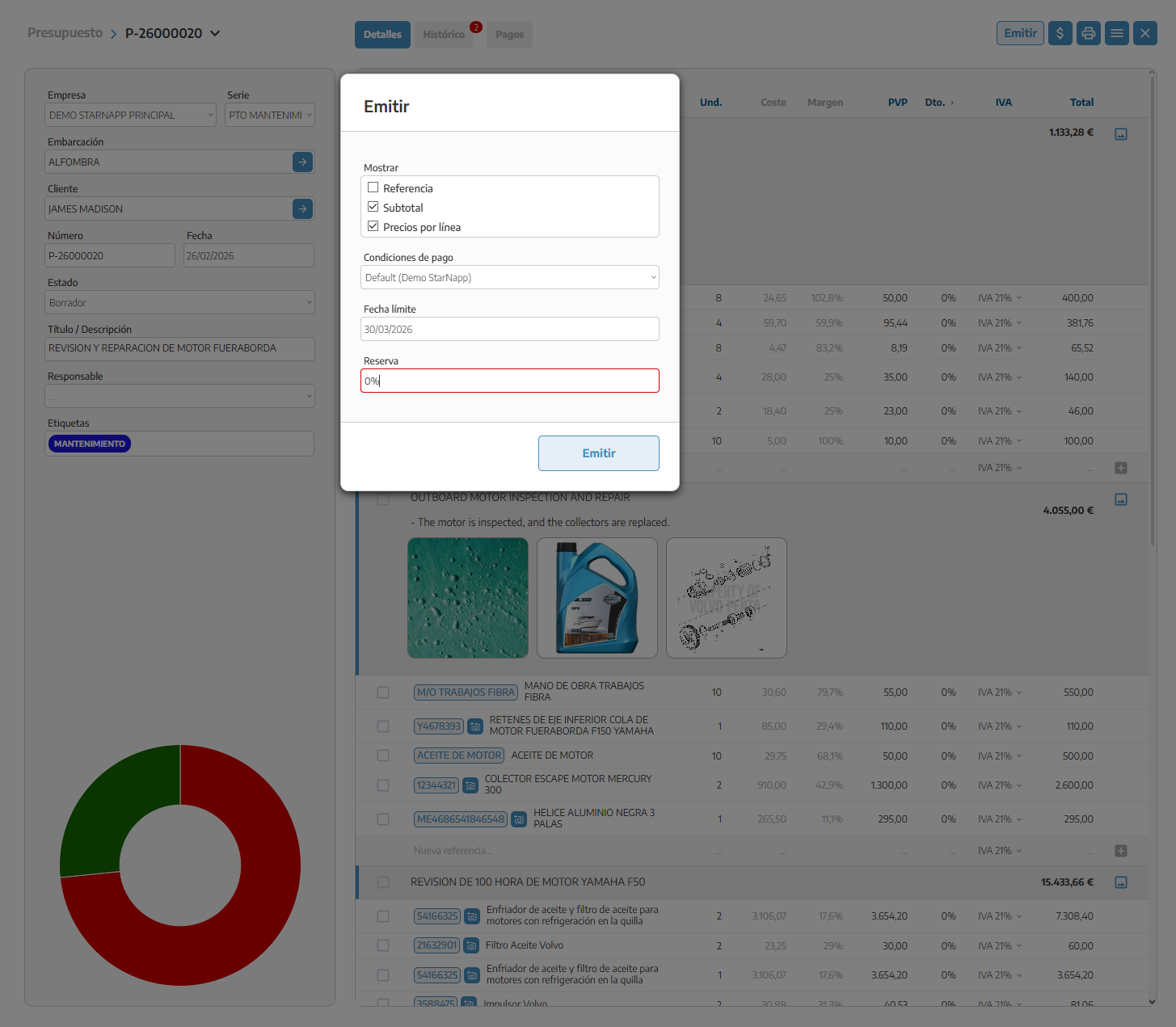
If we agree an advance payment with the customer before finishing the work, we use the DEPOSIT on the quote or the work order.
On the quote or the work order, we enter the percentage or the exact amount of DEPOSIT the customer is going to pay in advance.
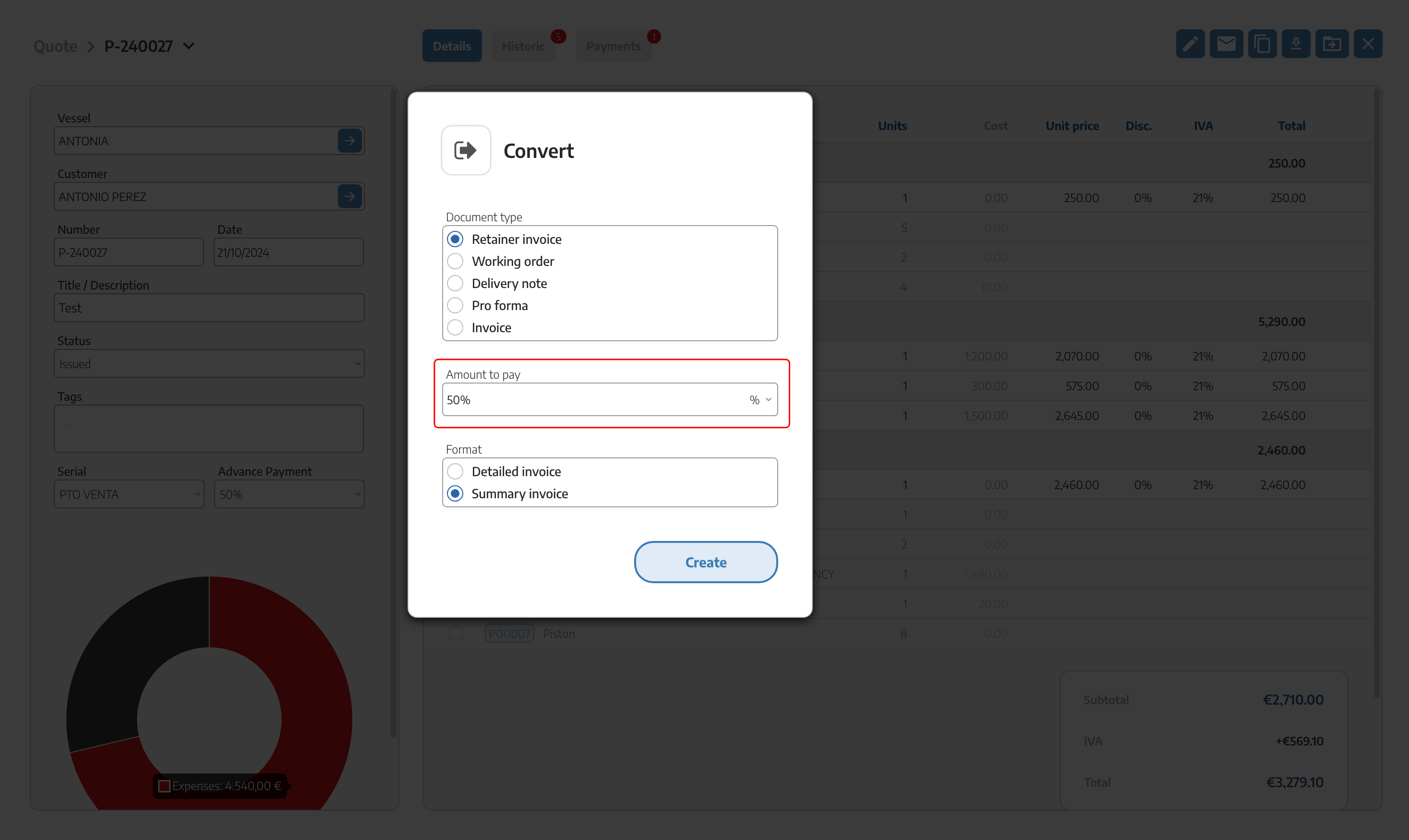
We press CONVERT and select DEPOSIT INVOICE (on some screens it appears as ADVANCE INVOICE — it's the same flow). The amount is automatically filled in with what was entered in DEPOSIT, and we choose the format: detailed or summarized.
StarNapp generates the deposit invoice in DRAFT mode, with its own numbering, ready to review and issue.
We can repeat this process as many times as we need to collect deposits against the same quote or work order, until the total amount is covered.
When the work is finished, we issue the final INVOICE or PROFORMA as usual.
At the top right of this document, the ADD (n) button appears, with a number in brackets showing how many already-linked documents we can incorporate: deposits already collected, and also delivery notes or proformas with content still pending invoicing.
If what we add is a deposit already collected, it's incorporated as a negative line: it's deducted, because that amount was already invoiced and collected before.
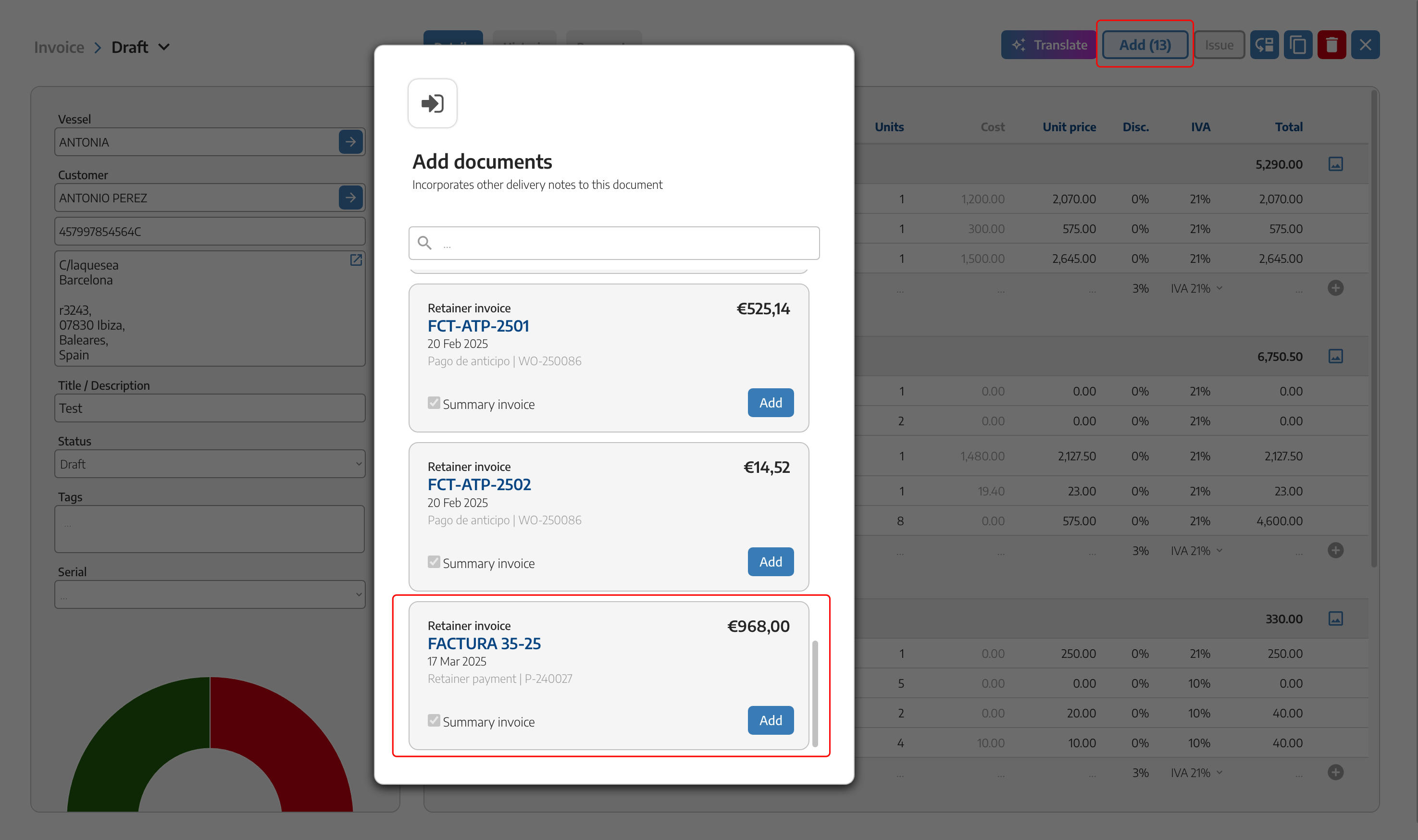
If what we add is a delivery note or proforma pending invoicing, it's incorporated as a positive line: it's added, because that content hadn't been invoiced yet.
It's the same mechanism in both cases — the sign only depends on whether what's being added was already collected or not. In the PDF of the final invoice, the deduction of the deposits already collected is clearly visible.

Once ISSUED, the invoice can't be edited or deleted — this applies to all invoices, regardless of the company's country. If we need to correct any data (price, VAT, customer details) or make a refund, we generate a credit invoice or a corrective one, never by editing the invoice directly. See the full detail in Credit and corrective invoices.
If our company has its fiscal address in Spain, the Verifactu regulation for reporting to the AEAT may also apply to us — see Verifactu (only applies to Spanish companies, it's not a requirement for other countries).
To export invoice lists to Excel or to accounting software formats, see Downloading documents.
DEPOSIT INVOICE and ADVANCE INVOICE are the same flow — not two different features.
The choice between a regular and a simplified invoice is made when we ISSUE, not when we create the document.
We can issue several successive deposits against the same quote or work order.
ADD subtracts deposits already collected and adds the pending content of delivery notes/proformas — it's the same button for both cases.
An invoice already issued is never edited: it's corrected with a credit or corrective invoice.
