
This article covers only the role of the WORK ORDER within the sales flow. To create it, plan tasks, assign technicians or log work reports, see the Work orders collection, starting with Create work orders.
What role does the work order play in the sales flow?
The work order is the bridge between the commercial side (a quote already approved by the customer) and the operational execution (the work that has to be done on the vessel). We can generate it in two ways:
Converting a QUOTE already accepted into a work order.
Creating it directly from the Jobs list, with no previous quote.
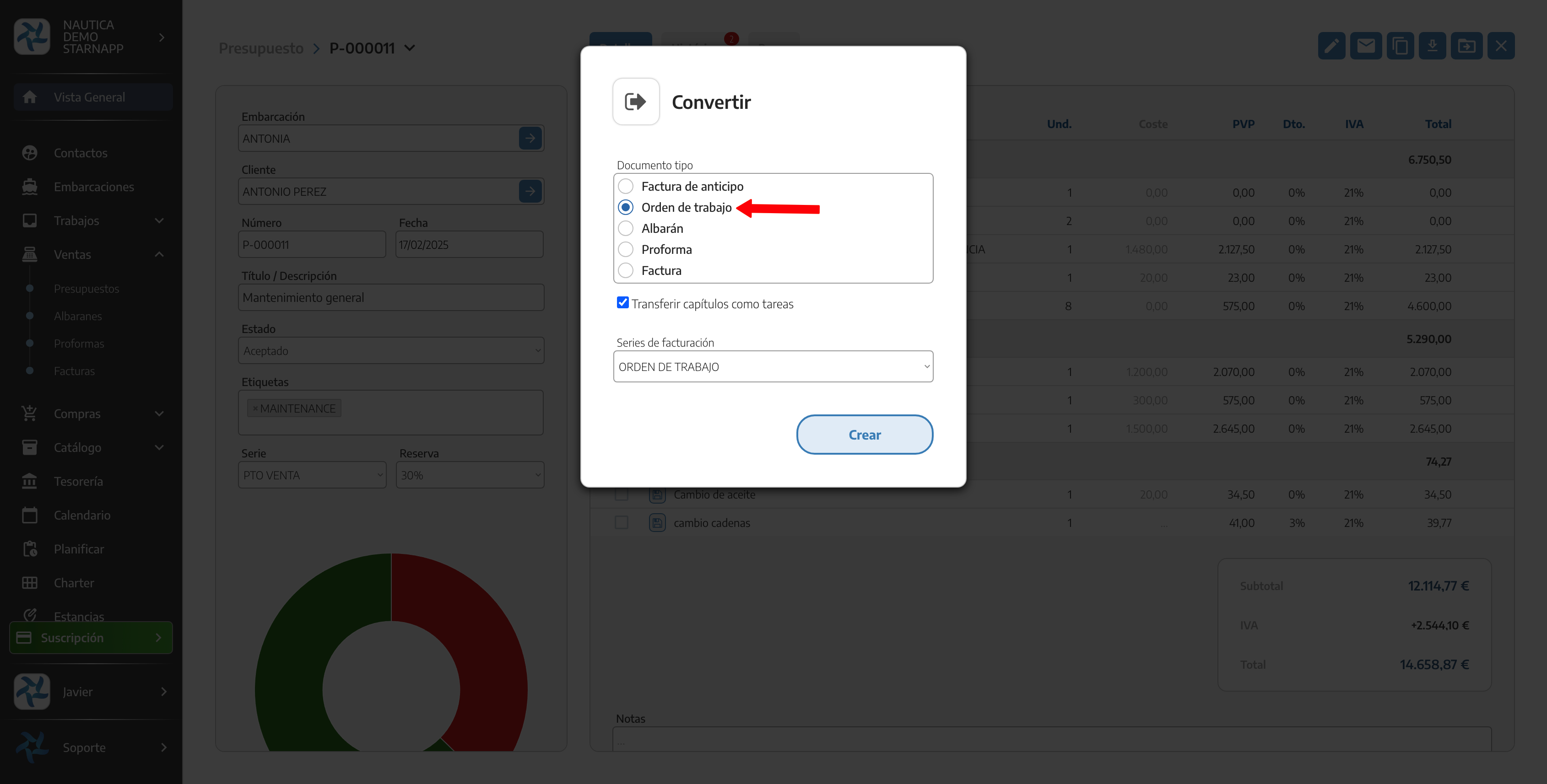
How do we choose the invoicing source when converting the work order?
When we convert the work order into a DELIVERY NOTE, PROFORMA or INVOICE, StarNapp lets us choose whether we want to invoice from the original QUOTE or from the work order itself. This is a decision made at the moment of converting, not a fixed property of the document.
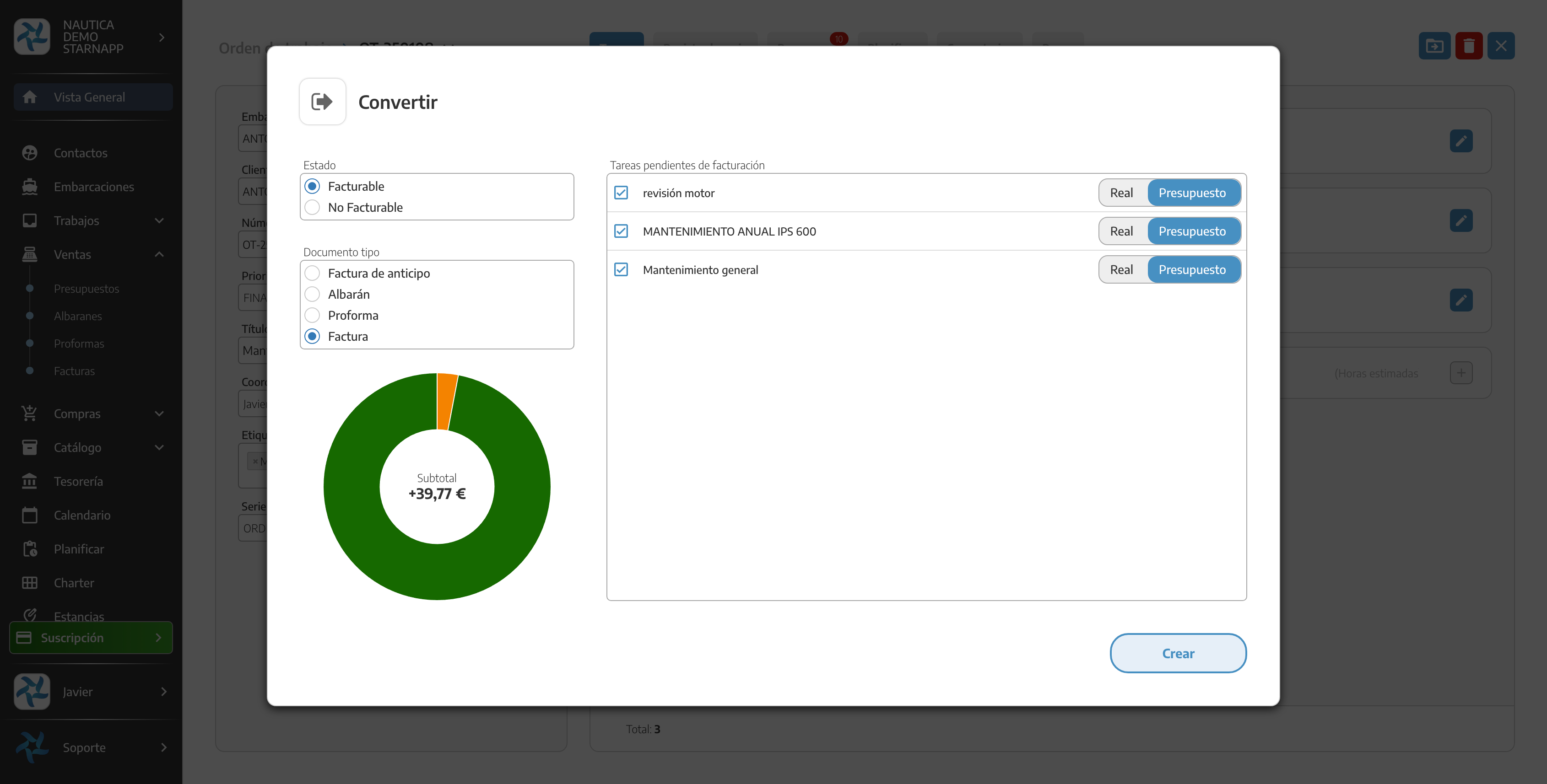
If the work order doesn't come from a quote, the conversion is direct, with no need to choose a source.
What does it mean for a work order to be PROCESSED?
When we invoice the work order in full, it shows up as PROCESSED in the Jobs list — the equivalent of "invoiced" for a work order.
What should we keep in mind?
A work order can be generated from a quote or created directly; both paths are equally valid.
The detail of tasks, priority, planner and work reports doesn't live in this collection — see the Work orders collection.
To see the work order within the full sales map, see Sales flow.
To link a new quote to an existing work order, see Quotes.
For the full detail of conversion (ADD, formats, etc.), see Converting documents.