
With the Stripe account connected, customers can pay invoices online by card or other methods active in Stripe. The payment is linked to the document. This is not the treasury IBAN, and it is not the invoice StarNapp issues to us for the subscription.
The integrations index is in Integrations: accounting and payment gateway. Accounting (Xero, Holded…) is Accounting integrations.
How do we get there?
We'll go to SETTINGS → CONFIGURATION → INTEGRATIONS. Stripe is the customer-collection card (not the invoices for the StarNapp subscription).
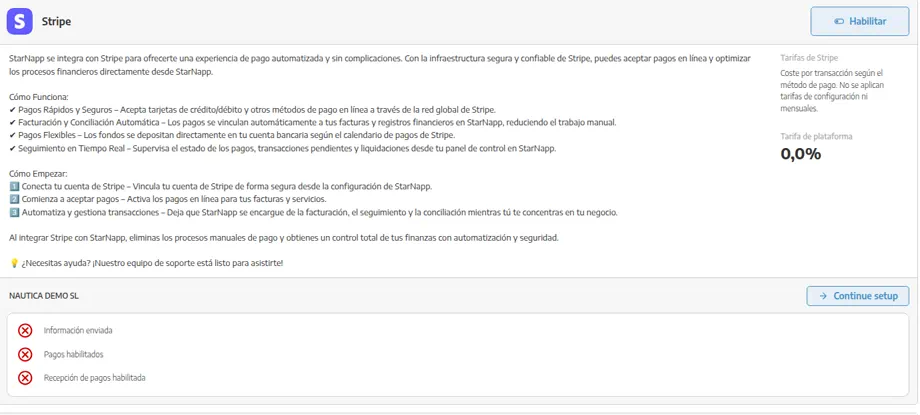
How does it work?
The customer opens the invoice payment link or button, pays in Stripe, and the collection is tied to the document. Funds reach the bank on Stripe's schedule. If Stripe offers direct debit in our country, we can turn it on for recurring collections with the customer's authorisation.
Stripe charges a fee per transaction depending on the method; there is no Stripe setup fee or monthly fee for using the gateway. Depending on the StarNapp plan, a platform fee may also apply.
It does not replace:
the IBAN and terms in Treasury: banks, terms and payment methods;
our StarNapp subscription invoices, in StarNapp subscription and invoices.
How do we enable Stripe?
We'll go to SETTINGS → CONFIGURATION → INTEGRATIONS and open the Stripe card.
We'll press ENABLE. Another tab will open to complete signup or linking of the Stripe account (the flow is Stripe's, not Settings).
We'll finish whatever Stripe asks (company, payout bank, payment methods).
When we return to StarNapp, we can issue invoices with online payment: the customer pays with a click and the collection is tied to the document.
What should we keep in mind?
“Paid” by Stripe is not the same as “posted” in the ERP. If we use Accounting integrations, we'll confirm with the accountant how the collection enters.
If the payment button doesn't appear, this connection is missing — not a new IBAN.
My invoices (the StarNapp subscription) is not collected with this customer gateway.