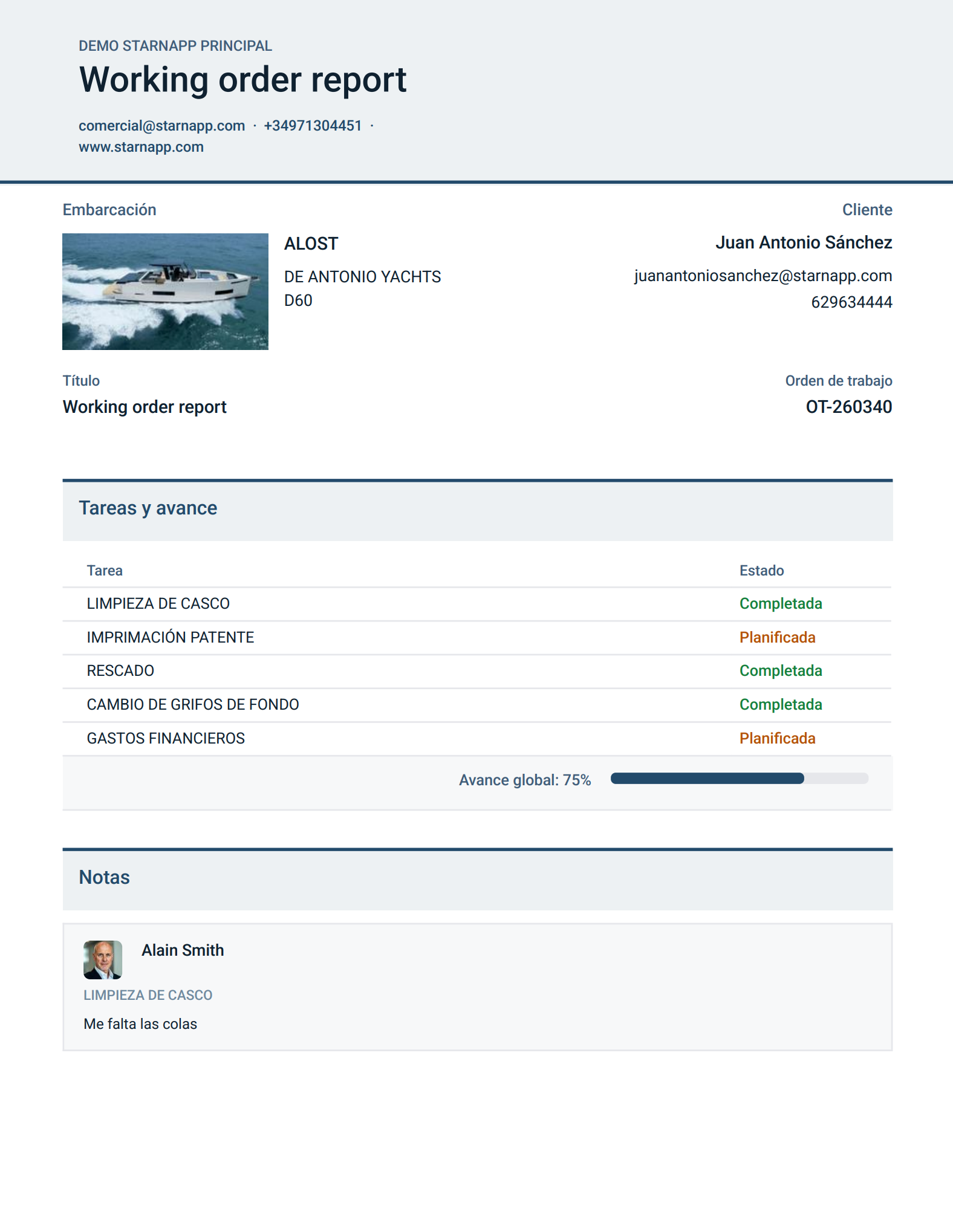
To get a report on the status of the Work Order, go to the dropdown menu at the top right.
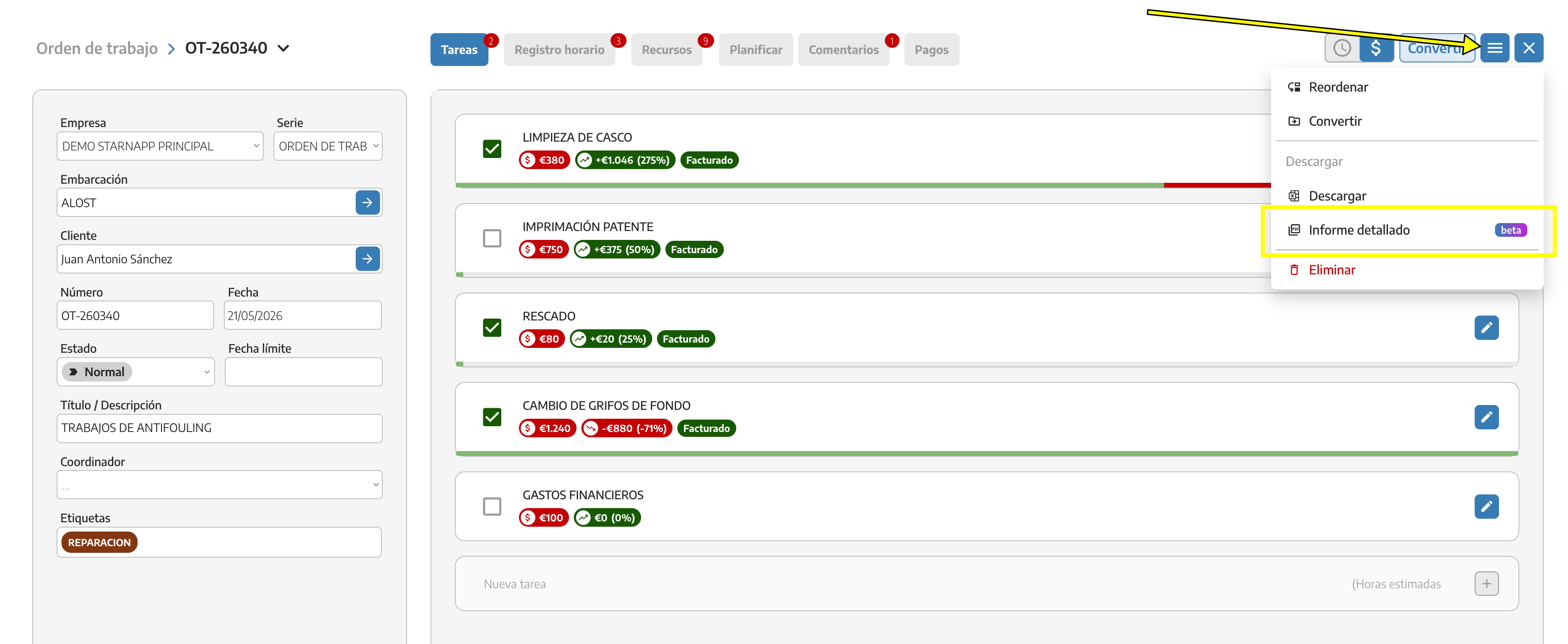
In the dropdown, select “Detailed report”
A pop-up will appear where you can choose the items from the WO that you want to appear in the detailed report; check the items you want to include.
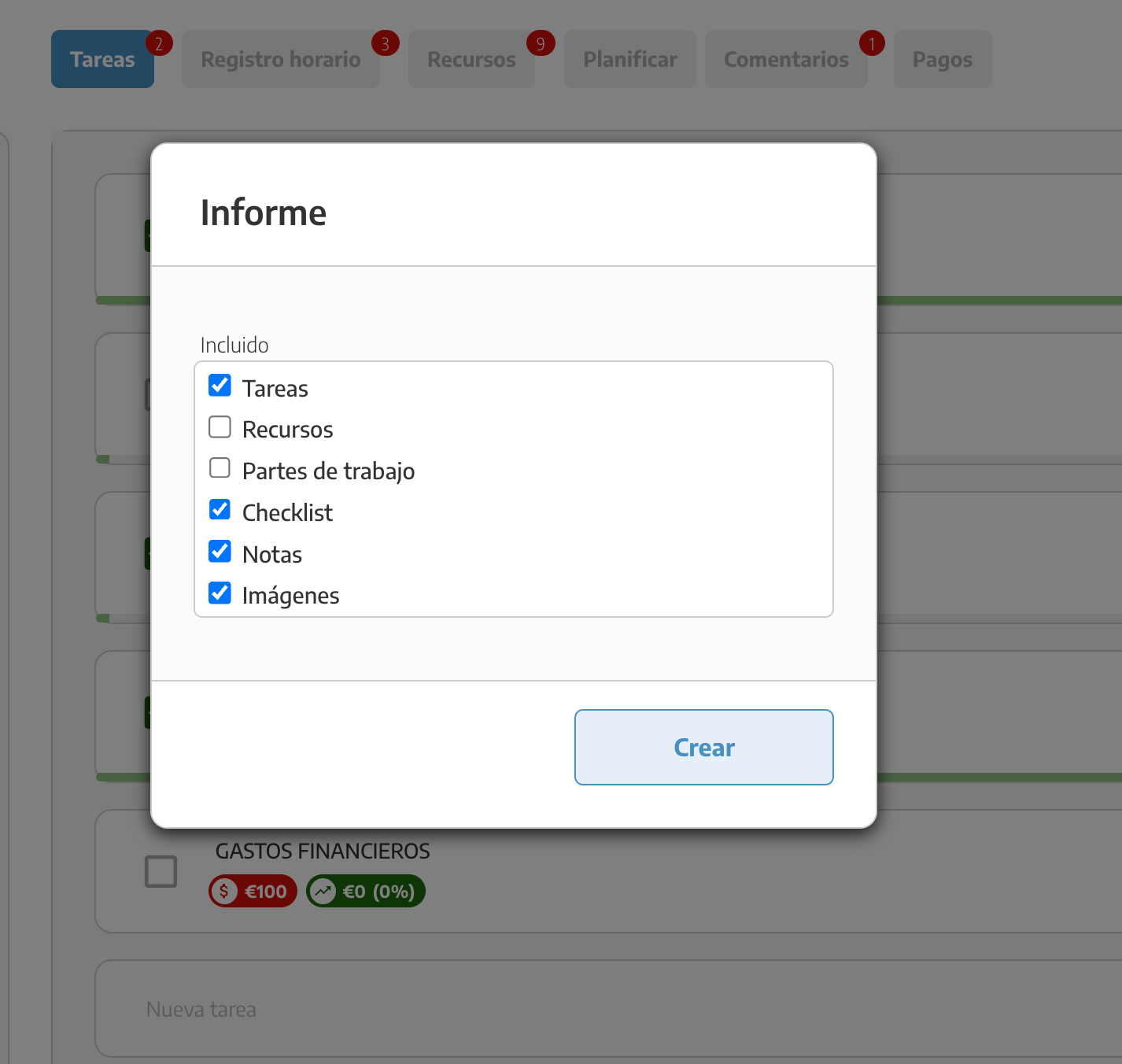
Once you’ve selected the items, click the “Create” button.
A report in PDF format will automatically be created with the details of the Work Order that you can send to your client.