Payment terms are created from the Treasury tab within the app.
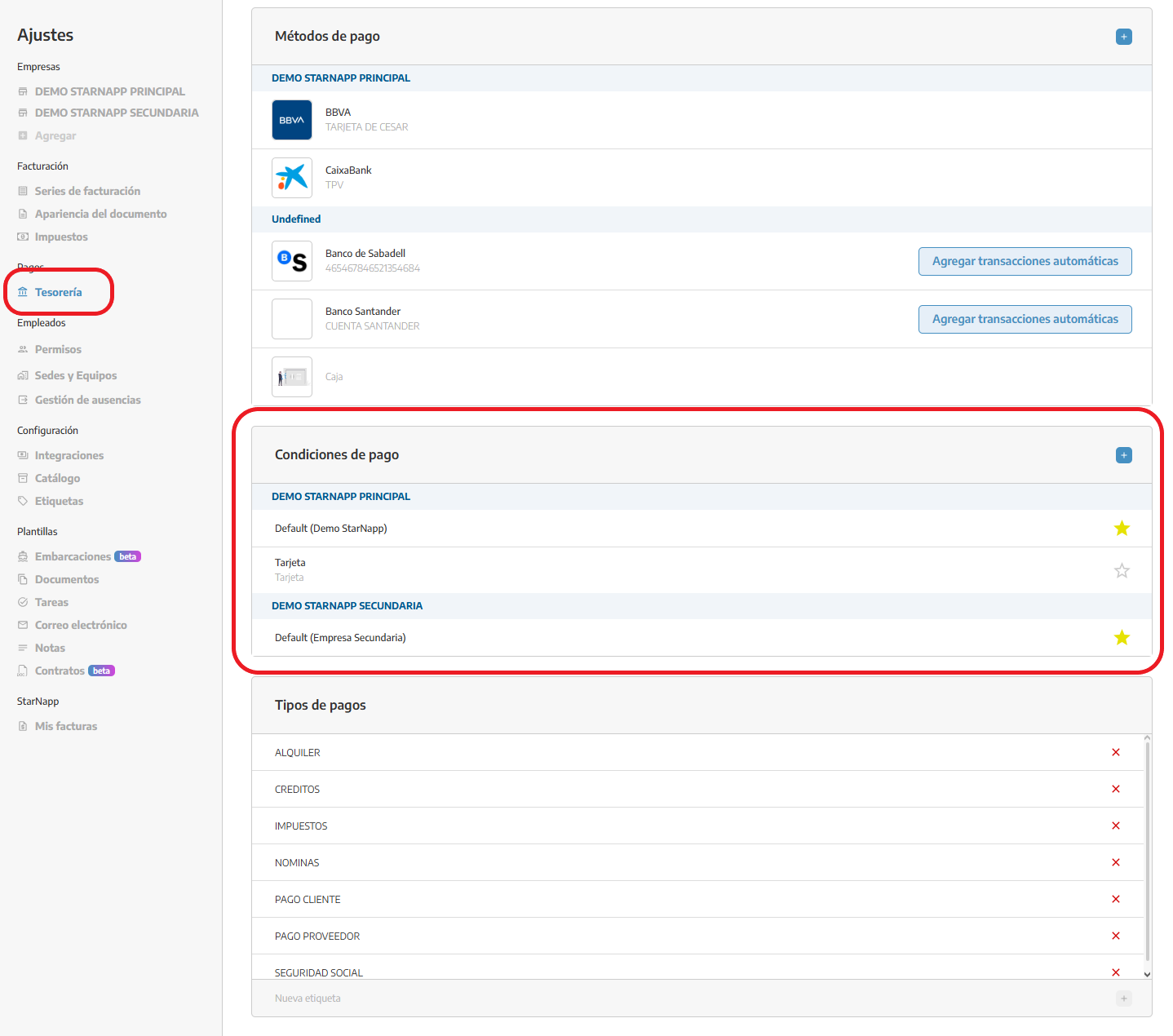
If you work with more than one company in the app, you can set up separate payment terms for each of them.
This lets you adapt collection policies depending on the selected company.
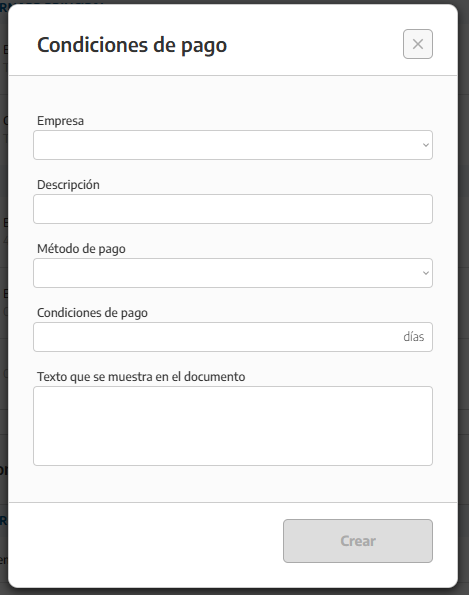
To create a new payment term, click the + button to create it and fill in the following:
Description: Identifying name of the payment term.
Payment method: Way in which the payment will be made (bank transfer, card, etc.).
Due date: Maximum time limit to make the payment.
Sample text in the document: Text that will appear in generated documents (such as quotes or proposals), indicating the payment terms to the client.
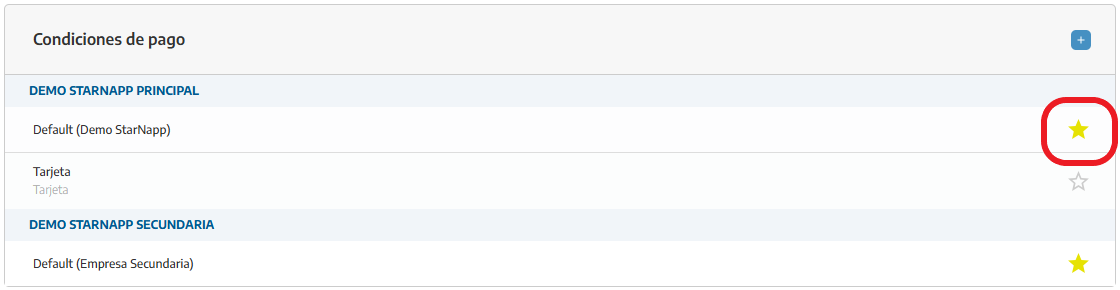
We can set a default payment method so it’s applied to all documents.
Once created, these terms can be used in documents, making sure the payment information is clear and consistent for the client.
With this feature you’ll be able to efficiently manage your company’s payment terms and adapt them to each client as needed.