In StarNapp, an issued invoice can never be edited or deleted — this rule applies in every country. That's why any correction to an issued invoice is made by generating a corrective invoice or a credit note, never by editing the original document (see Invoices).
If your company has its tax domicile in Spain, also keep in mind Verifactu fiscal reporting: these corrections must be reported just like any other invoice — see Verifactu (Spain).
Corrective invoice — a replacement invoice: it fully replaces the original invoice. We use it to correct substantive errors (a wrong price, VAT applied incorrectly, wrong customer details) or to cancel an invoice completely.
Credit note — a corrective invoice with negative amounts that offsets the original invoice, without replacing or cancelling it. We use it for product returns, commercial rebates, or correcting amounts overcharged. It can be full (covers 100% of the original amount) or partial (covers only part of it).
We'll open the incorrect invoice.
We'll click CONVERT (top right).
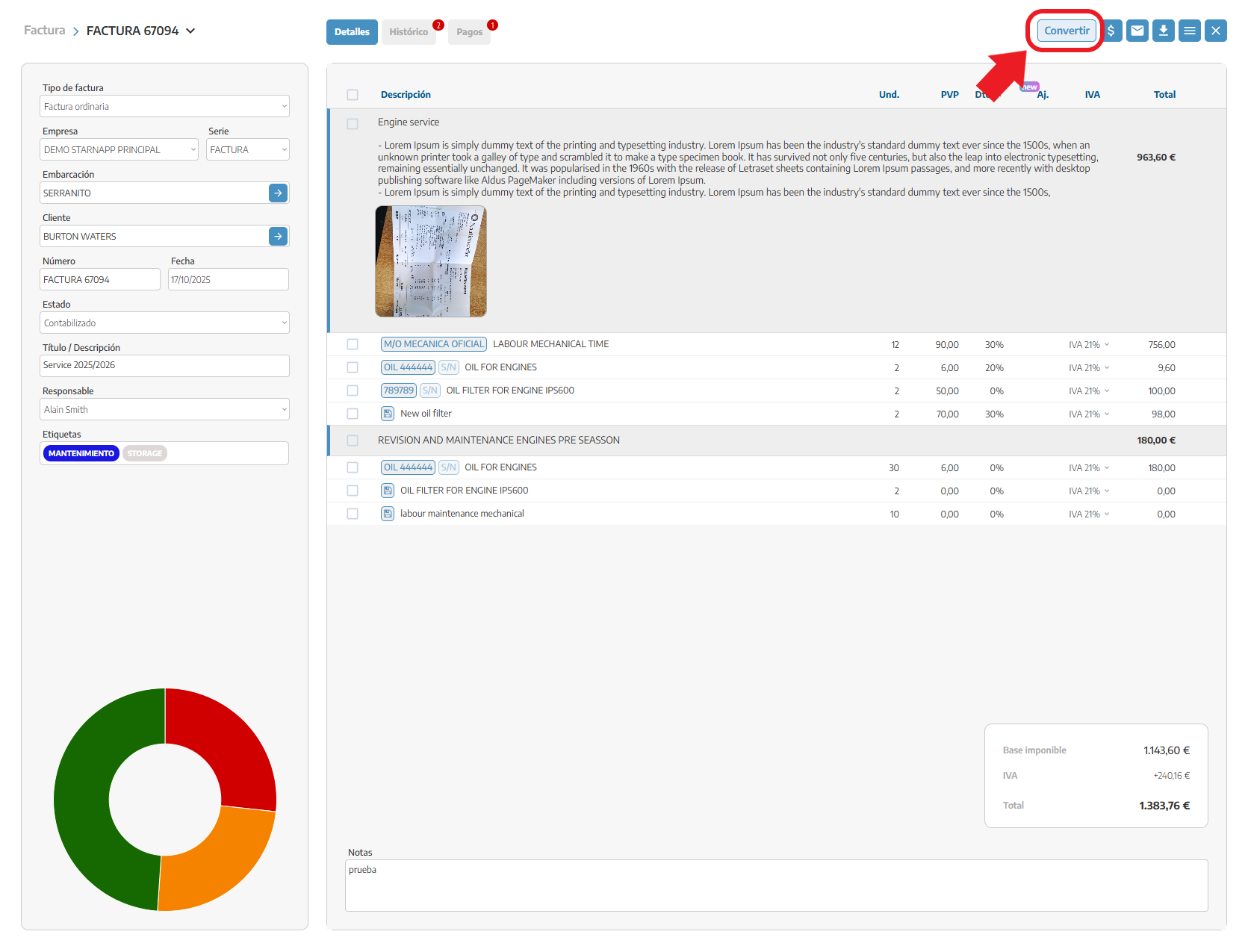
A pop-up opens where we'll choose:
The invoice type: Corrective or Credit note.
The format: Detailed or summarised in a single line.
Whether we want to carry over the notes from the original invoice.
We'll confirm the action.
The system creates a copy of the original invoice with negative amounts.
The invoice is generated in draft state, so we can still edit it (for example, if the credit note is partial).
The title updates automatically: "Corrective invoice for differences (Credit note) | FCT-XXX".
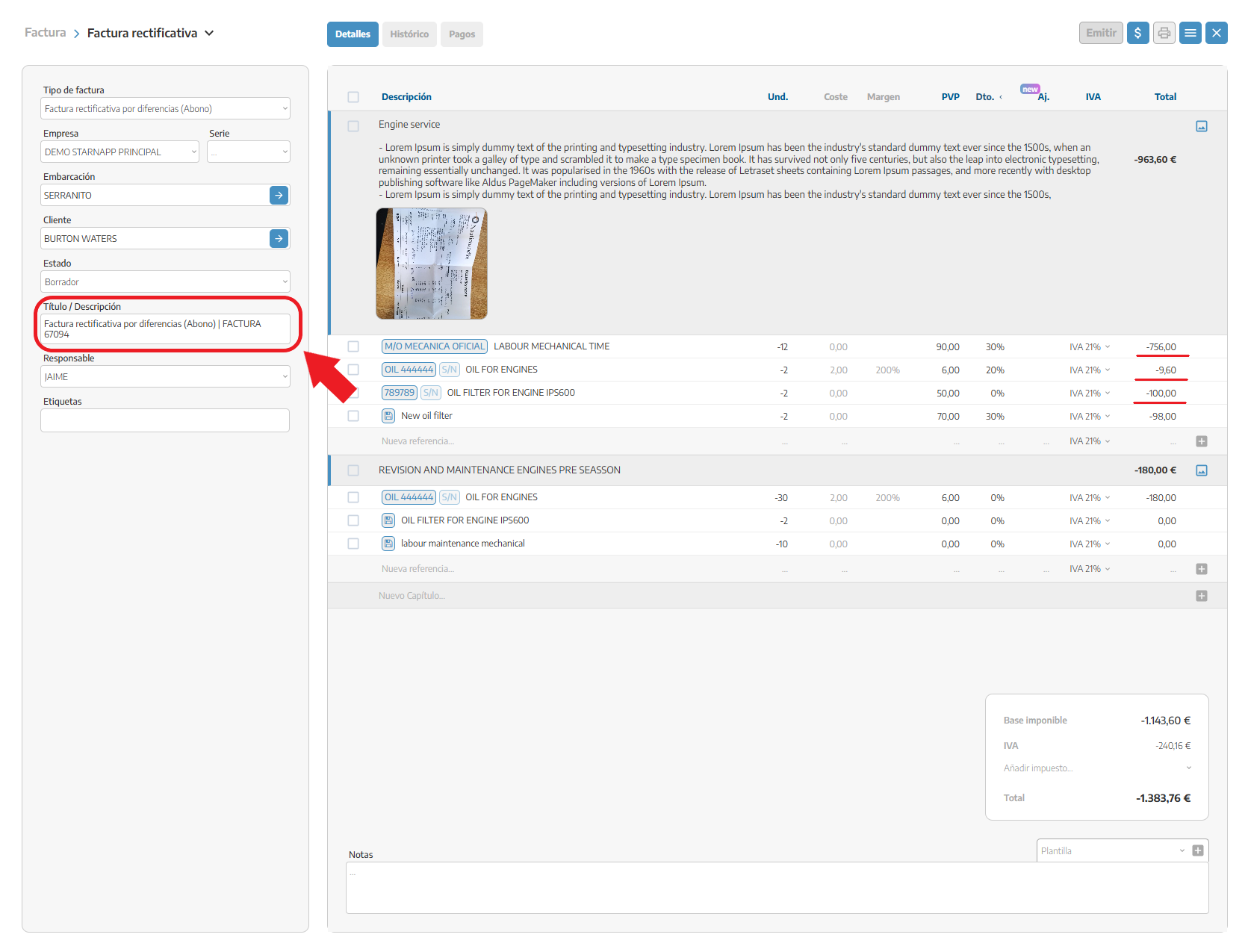
Result: the original invoice is not cancelled. Both invoices offset each other: the final balance is 0 if the credit note is full, or adjusted if it's partial.
It's created through the same process, but the amounts appear as positive figures.
The system automatically updates the title: "Substitute corrective invoice | FCT-XXX".
And the notes: "This invoice is a corrective invoice that replaces the original invoice FCT-XXX".
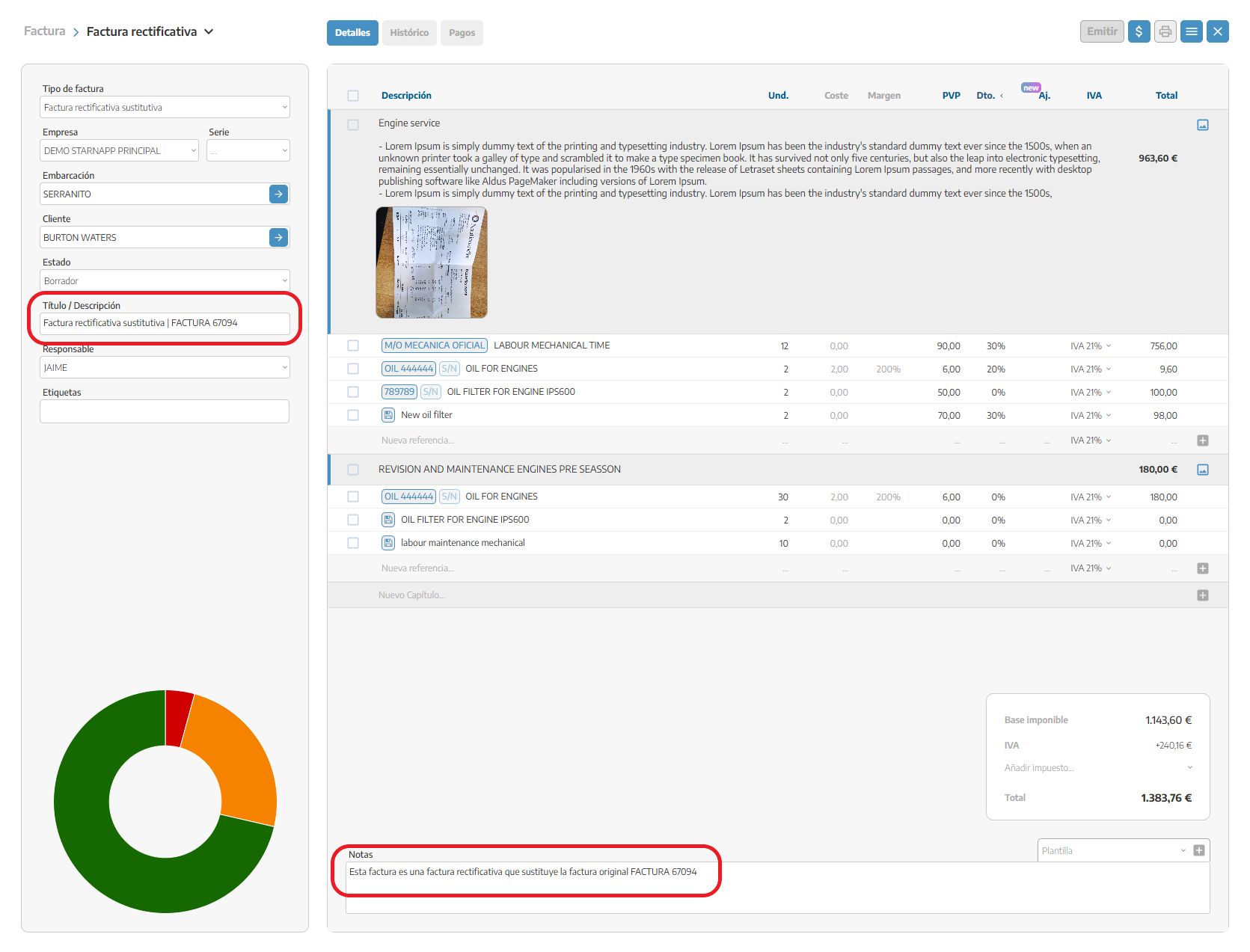
Result: the original invoice becomes cancelled and the new invoice becomes the valid one.
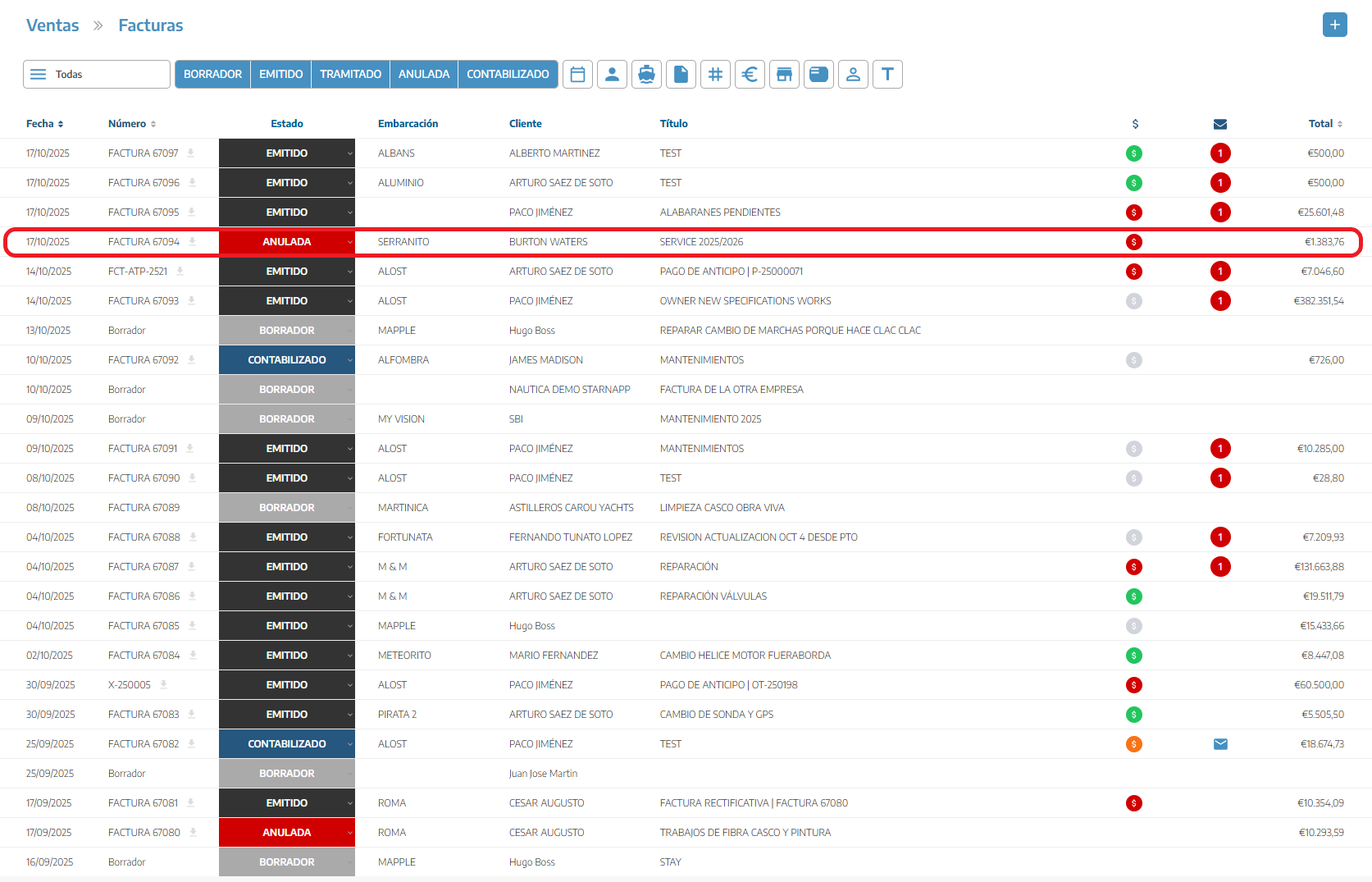
ℹ Cancelled invoices don't affect the customer's account statement.
Never create a corrective invoice with negative amounts — that is, by definition, a credit note. Mixing the two concepts unbalances the accounts, because a corrective invoice cancels the original and a credit note doesn't.
A credit note can be full (covers 100% of the amount) or partial (covers only part of it) — in both cases it's created in draft, so we can adjust the amount before issuing it.
This mechanism exists because an issued invoice can never be edited or deleted — see Invoices. If your company invoices from Spain, these corrections are also reported through Verifactu — see Verifactu (Spain).
