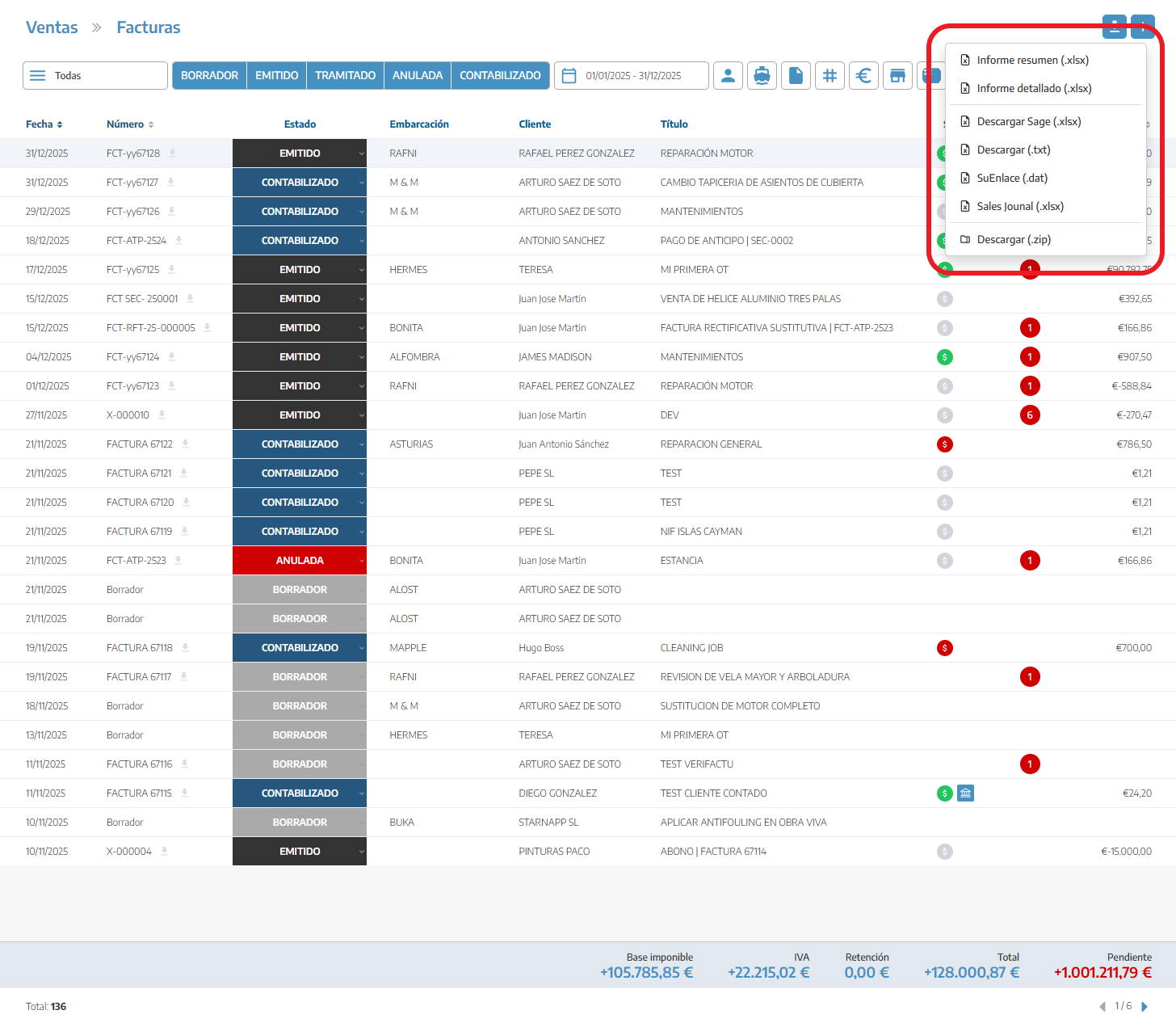
At StarNapp we offer the option to download files in Excel so you can send these documents to accounting.
To download these files we go to the list we need. In this case we’ll do it with our sales invoices.
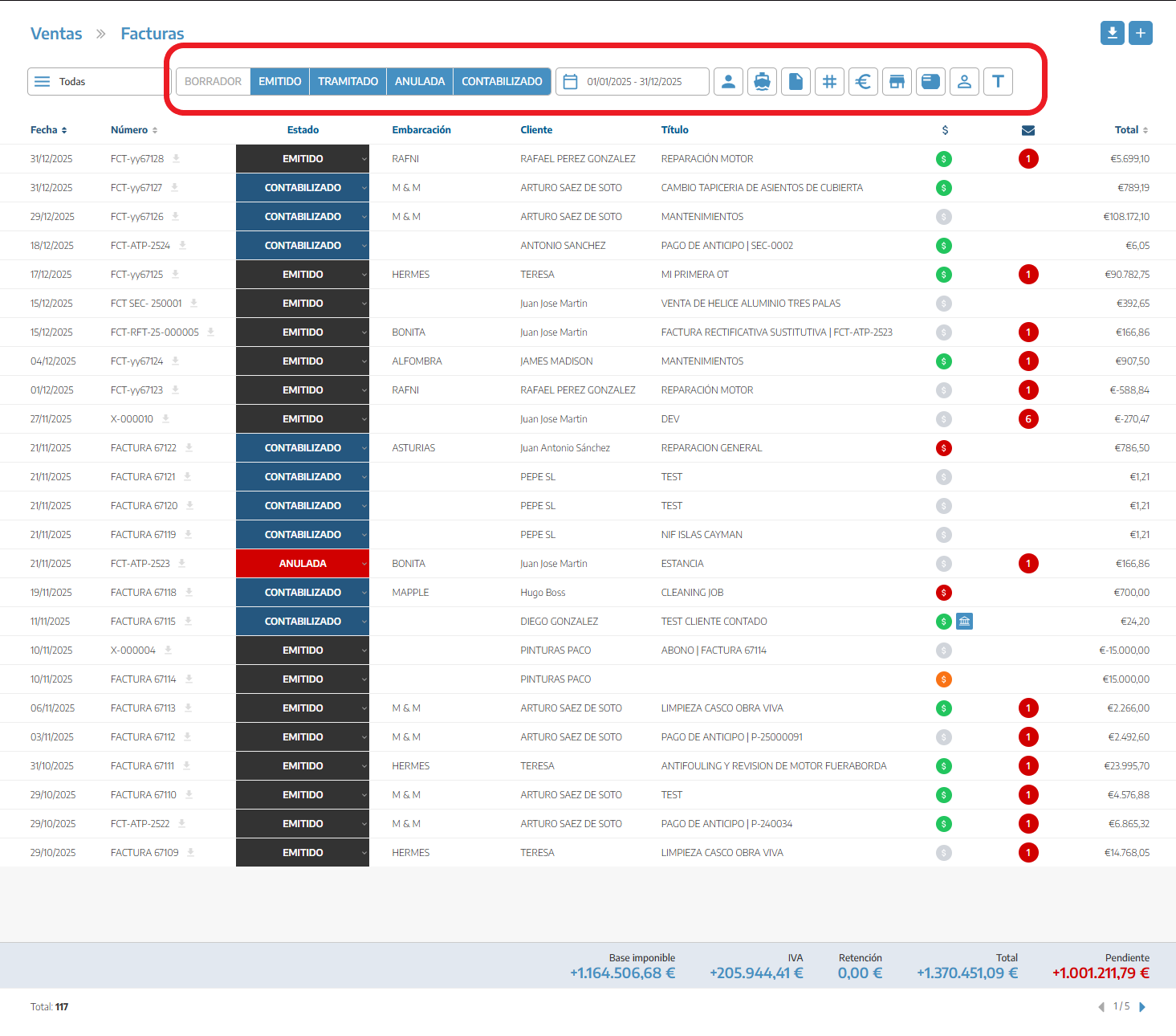
First we’ll select the status of the documents.
Issued
Processed
Cancelled
Posted to accounting
Next it’s important to select the date range you want, because without this date range it won’t be possible to download the documents.
Finally, you can decide whether to apply any other filter you need:
Documents of a specific customer
Of a specific vessel
With a set of tags
If we have more than one company we can choose which one we want
By the billing series of the document
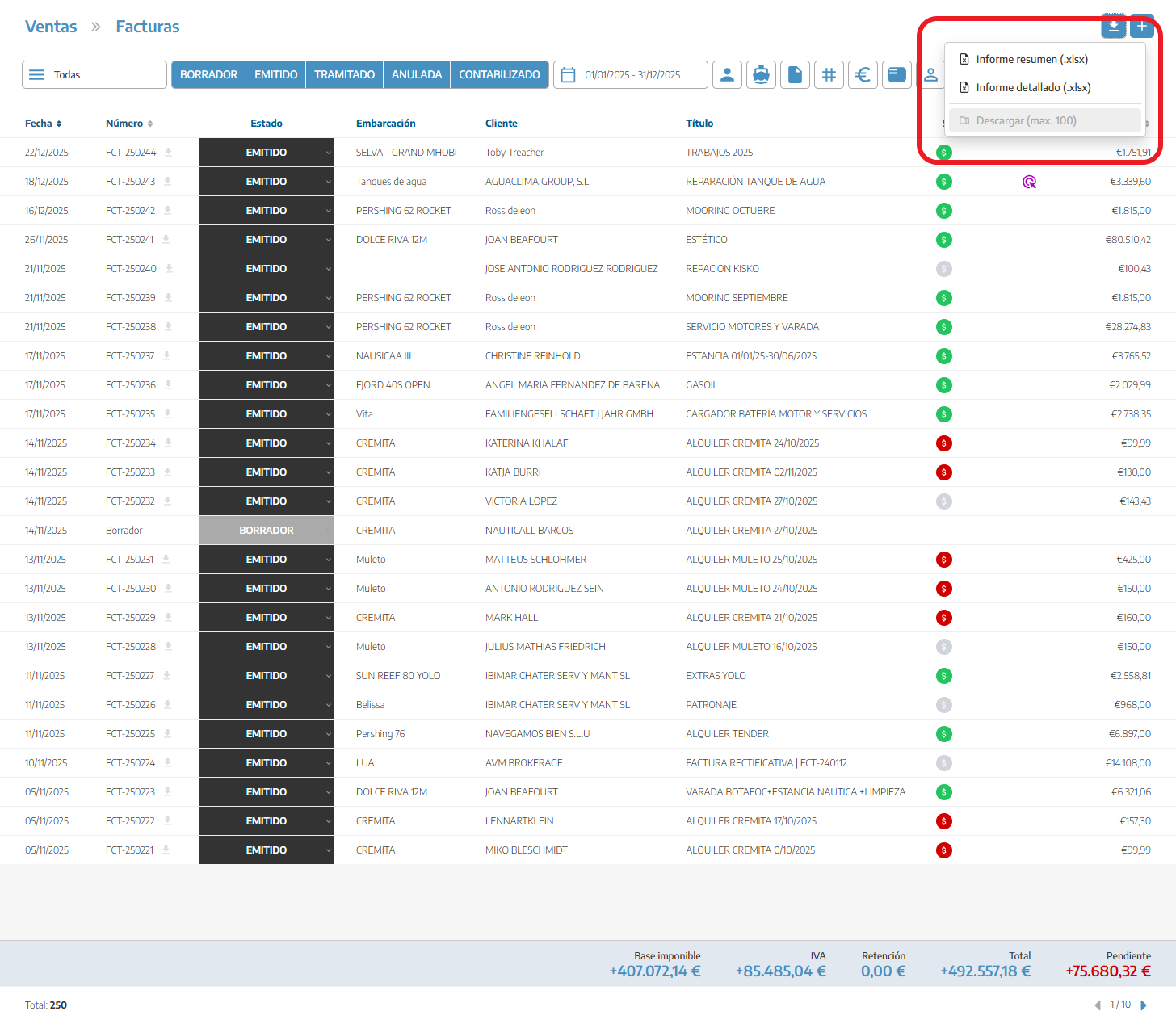
Once we have all our filters applied, the download button will appear in the top right. We’ll have several download options
Two main ones:
Summary report: exports each invoice separately
Detailed report: exports a report of all materials that are linked to each invoice
There are variations of reports that can change depending on whether we have invoicing software.
.xlsx for Sage
.txt for A3
.dat for SuEnlace
xlsx for SalesJournal
.zip with all the files