
To create a new item, we go to our catalog tab. In the upper right corner we’ll see the + sign to add the item.
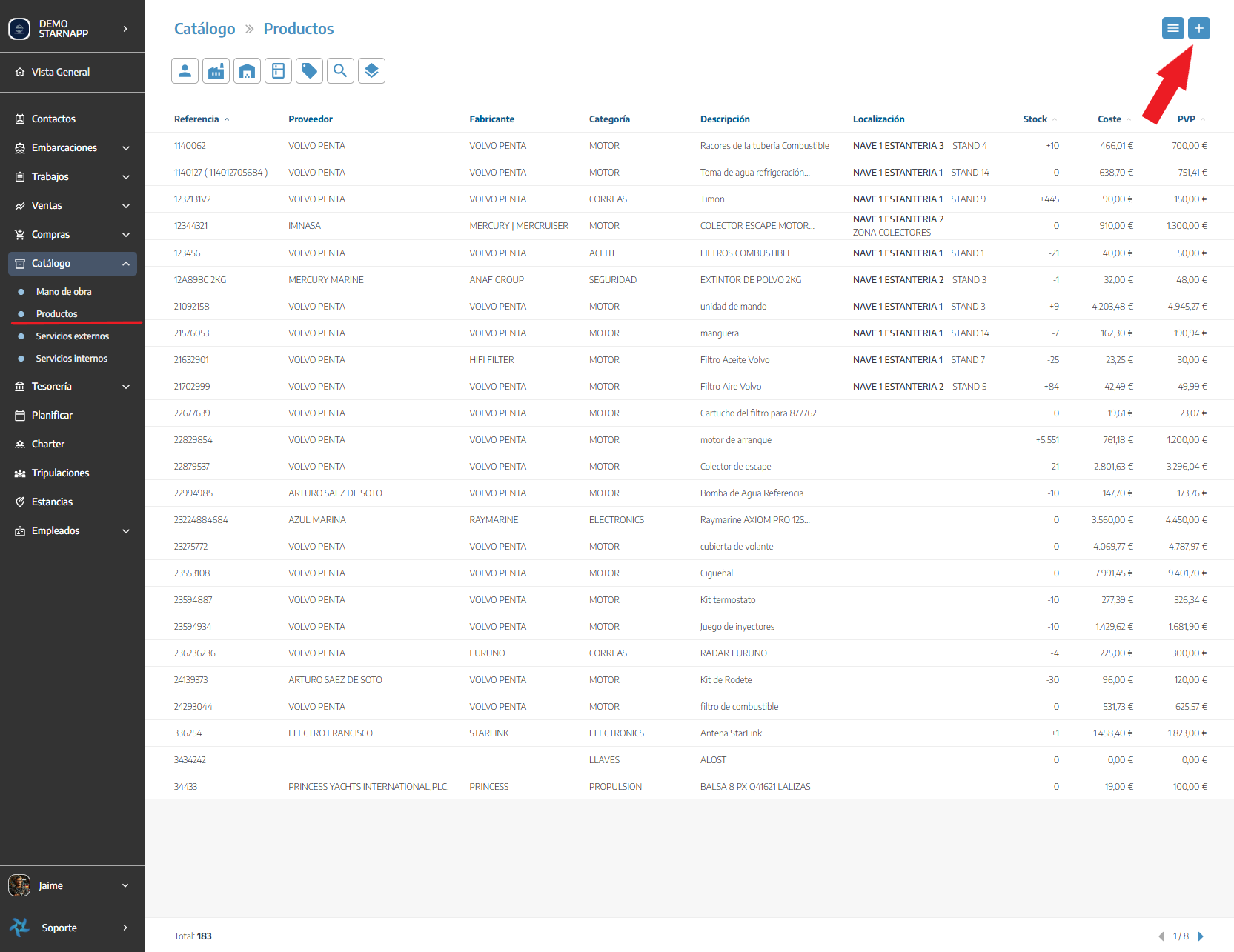
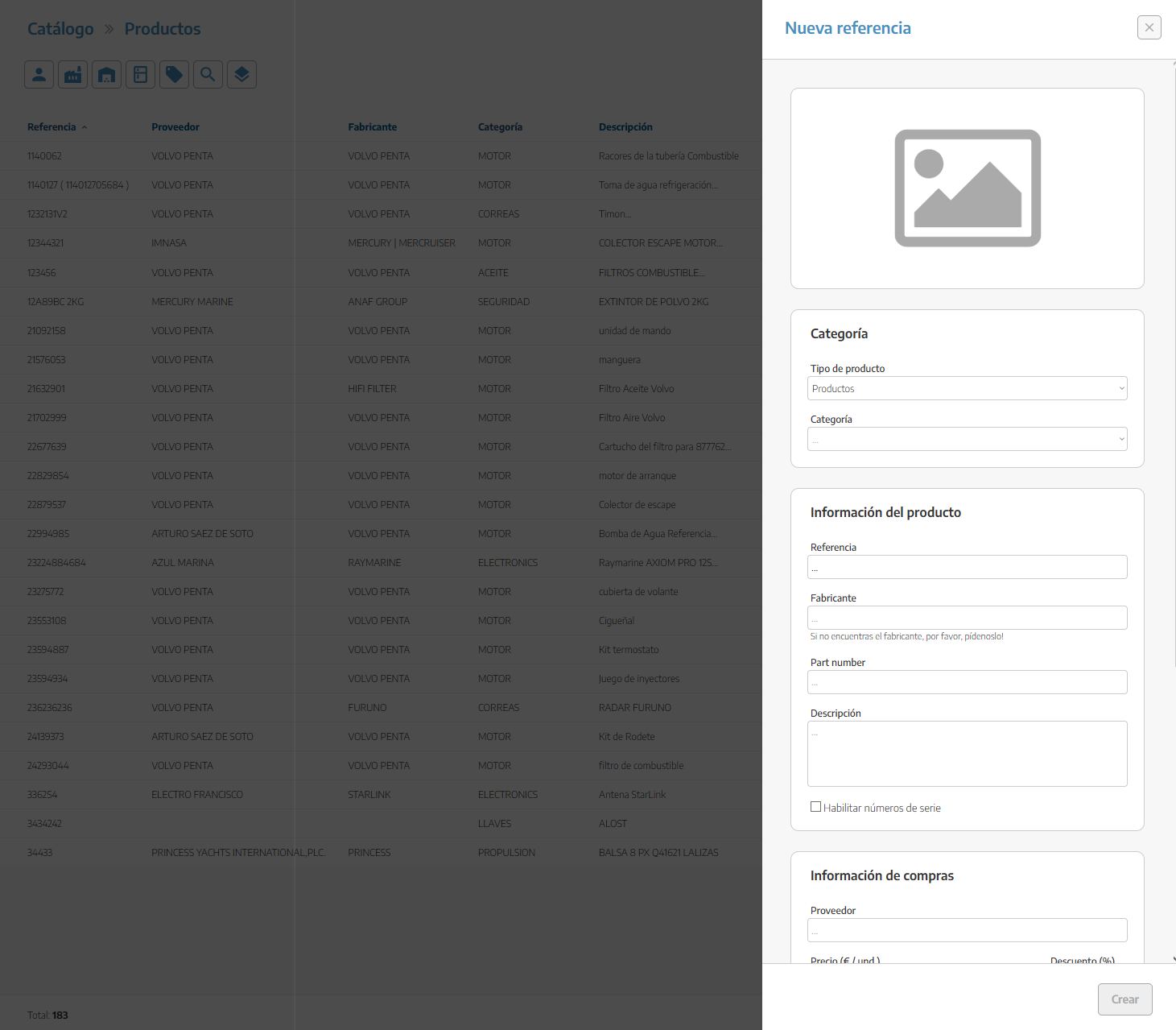
Here we’ll fill in the required data for the item.
Article photo
Category
Labor
Internal service
External service
Product
Reference
Manufacturer
Part Number
Description
(If we want it to have a serial number (S/N))
Purchase price
Discount (if needed)
Sale price
Part location (warehouse)
Minimum stock

Any changes made to the part prices will only affect new materials that are added; materials already entered will keep the price they had when they were added.
The price change does affect task/document templates.
The price change does affect task/document templates.