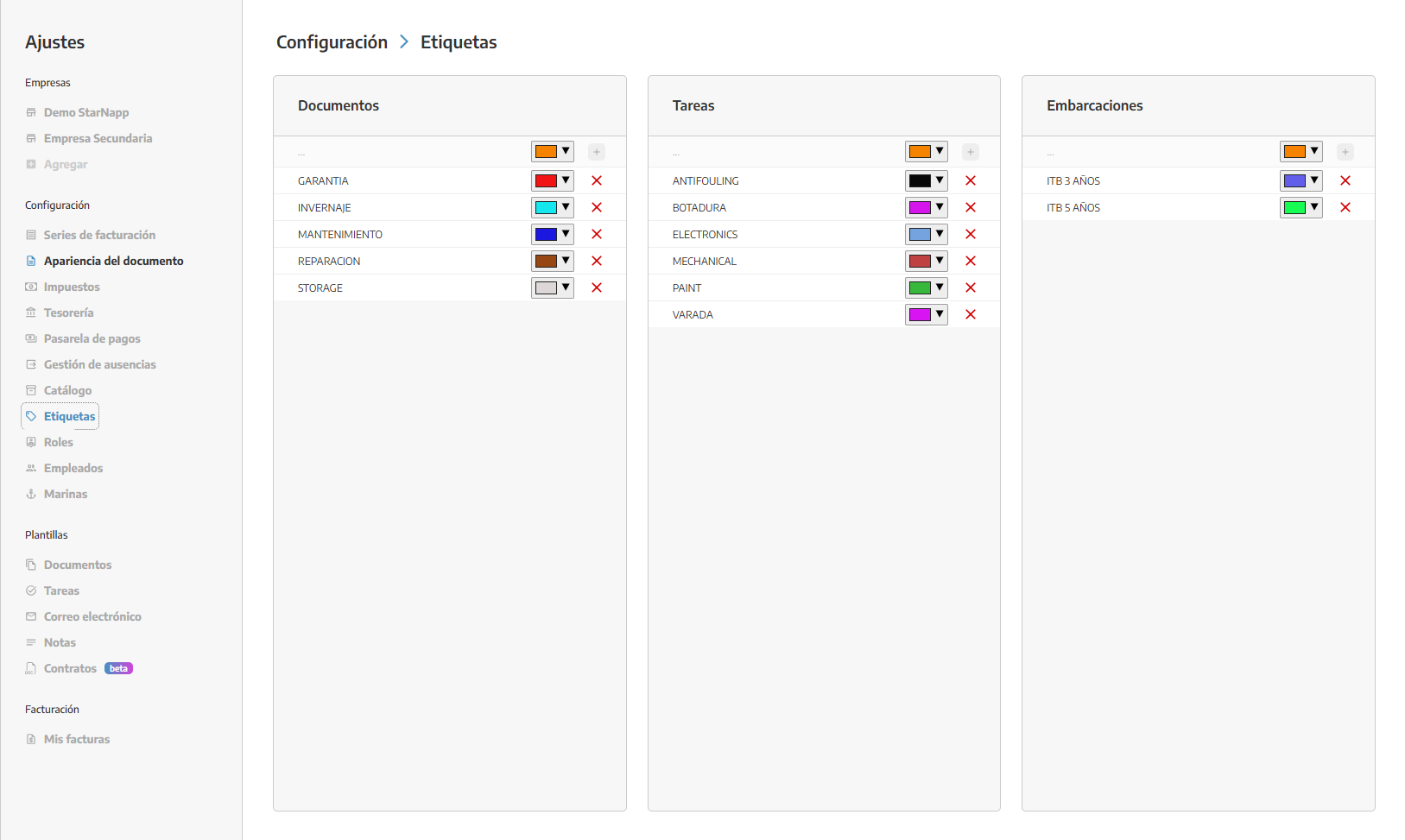
1. Creating tags from the nautical settings
Before assigning tags to boats, you have to create them:
Go to the Nautical Settings menu.
In the Tags section, pick the Create new tag option.
Set the name and, if needed, the color of the tag.
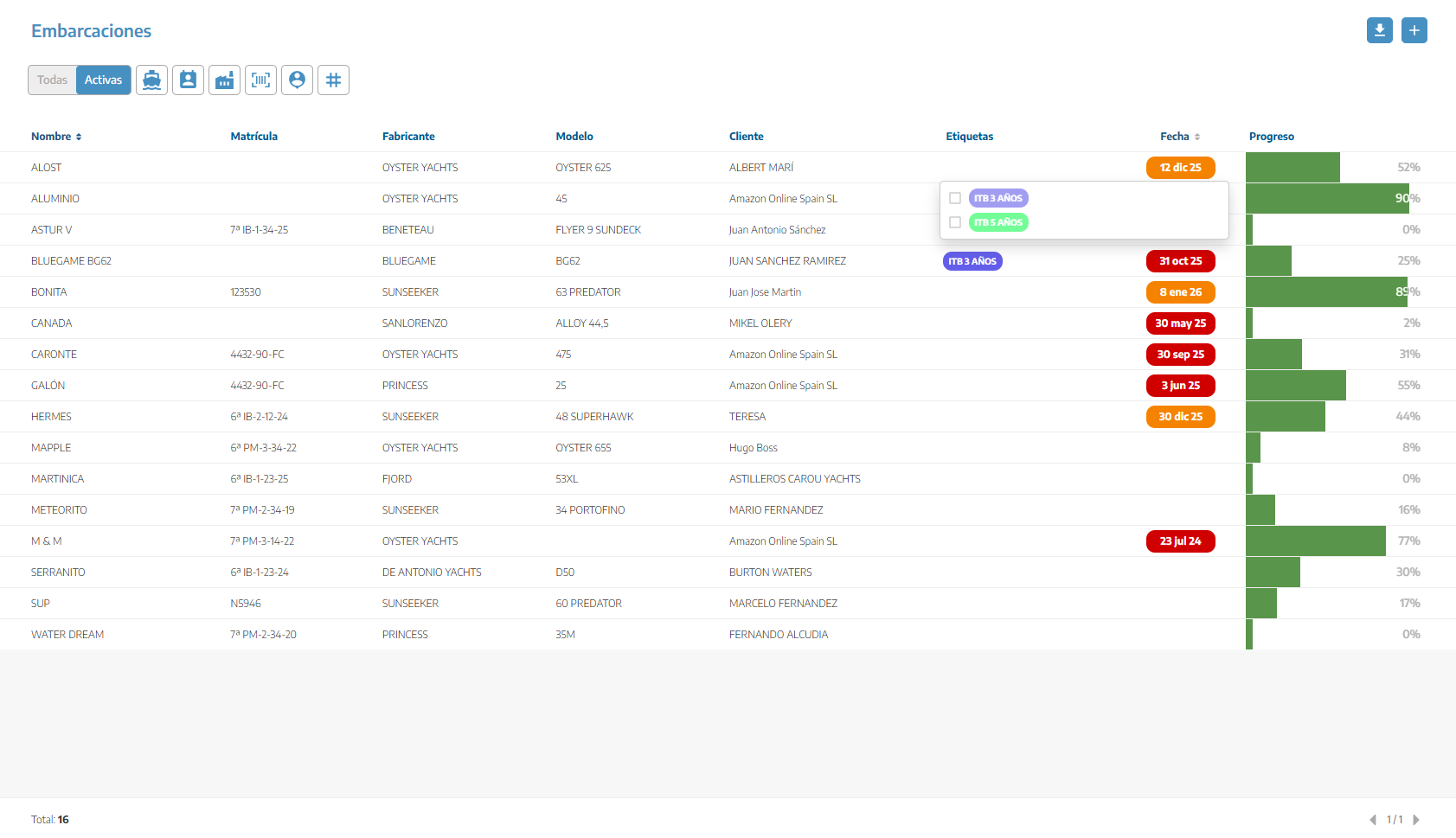
2. Assign tags from the boat list
A quick way to manage tags is from the main list:
Go to the Boats module.
Find the Tags column in the list.
On each boat, click on the tags area to open the selector.
Select one or more tags to assign to that boat.
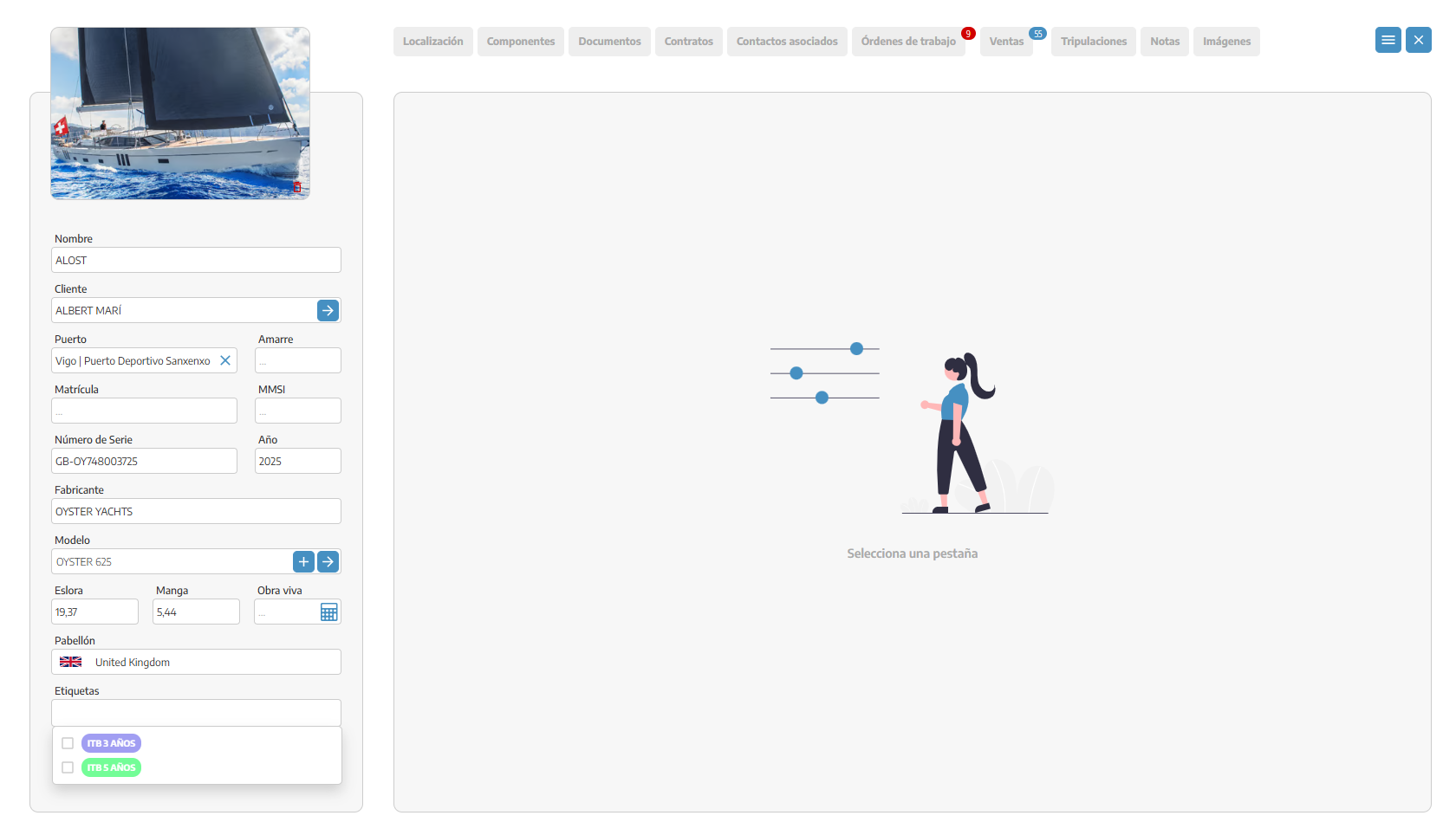
3. Assign tags from the boat profile
You can also manage the tags from the full boat profile:
Go to the boat profile you want to edit.
Go to the Tags section inside its profile.
Select the tags you want to assign.