⚠️ This guide applies only to companies with a tax domicile in Spain (VAT or IGIC). If your company invoices from another country, the rest of the Sales collection doesn't depend on Verifactu — you can keep using StarNapp as normal without anything described here.
⚠️ Before reading this guide, check the latest Verifactu announcement on the Gleap board, in case there are updates after this guide.
On July 29, 2025, the VERIFACTU system came into force for invoicing-software companies, including StarNapp. For customers with a tax domicile in Spain under the VAT or IGIC regime, StarNapp sends issued invoices to the Spanish Tax Agency (AEAT) through the VERIFACTU system as of January 1, 2026.
Independently of Verifactu, in StarNapp an issued invoice can never be edited or deleted, in any country — any correction is made with a credit note or a corrective invoice (see Credit notes and corrective invoices). What's exclusive to Spain is the automatic fiscal reporting to the AEAT described in this guide.
There are hundreds of possible combinations for reporting different transactions in VERIFACTU. To make the transition as smooth as possible, StarNapp has prepared a table of predefined taxes that are compliant with the regulation and specifically adapted to the marine/nautical sector.
As of July 29, 2025, issued invoices can't be edited by companies with a tax domicile in Spain, regardless of whether they're required to use VERIFACTU or not.
Automatic fiscal reporting is enabled as of January 1, 2026 for companies under the VERIFACTU regime on the BASIC, ADVANCE or ENTERPRISE plans. If you need to activate it earlier, or have questions about your situation, contact us.
Users on the LEGACY plan (before June 2024) need to contact us to adapt their plan to VERIFACTU requirements.
Companies with a Spanish tax ID (CIF) that invoice with VAT.
Doesn't apply to foreign companies.
If you're on the SII (Immediate Supply of Information), data isn't sent to the AEAT, but taxes still need to be defined following this structure to keep compatibility.
Users operating in the Canary Islands under IGIC are also required to use VERIFACTU.
Each invoice line automatically includes the following data:
The tax % applied on the invoice.
The % reported to the AEAT.
Special-regime key, if it applies.
Exemption or non-subjection code.
Key type (S1, S2, N1, N2) — only if the transaction isn't exempt.
With VERIFACTU, it's no longer enough to indicate the VAT percentage applied: we also need to detail the nature of the transaction, its exemption or non-subjection (if it applies), the special regime, and other data that lets the AEAT correctly classify each invoice line.
Name | % applied | % reported | Key type | Exemption code | Non-subj. code | Regime key | Short description |
|---|---|---|---|---|---|---|---|
Standard VAT 21% | 21% | 21% | S1 | — | — | 01 | Subject and not exempt |
Reduced VAT 10% | 10% | 10% | S1 | — | — | 01 | Reduced VAT rate |
Super-reduced VAT 4% | 4% | 4% | S1 | — | — | 01 | Super-reduced VAT rate |
Commercial premises lease | 21% | 21% | S1 | — | — | 11 | Subject lease |
REBU (used-vessel sale) | 0% | 21% | S1 | — | — | 03 | VAT included in the margin |
Reverse charge | 0% | 21% | S2 | — | — | 01 | Customer declares the VAT |
Export outside the EU | 0% | 0% | — | E1 | — | 02 | Exempt under Art. 21 |
Intra-community delivery | 0% | 0% | — | E1 | — | 01 | Exempt under Art. 25 |
Port services | 0% | 0% | — | E2 | — | 01 | Exempt under Art. 22.2 |
Not subject – localisation | 0% | 0% | — | — | N2 | — | — |
This table was built based on the AEAT's official VERIFACTU schema. Each company can have its own particular cases: we recommend validating it with your tax advisor before issuing invoices, and contacting us if you have any scenario not covered by this table.
More information: explainer video about VERIFACTU.
Key type (only if the transaction isn't exempt)
S1: Subject and not exempt – no reverse charge
S2: Subject and not exempt – with reverse charge
N1: Not subject, general grounds (Art. 7, 14…)
N2: Not subject, localisation rules (Art. 69–70 LIVA)
Regime key
01: General regime · 02: Exports and assimilated transactions · 03: Second-hand goods, art, antiques (REBU) · 04: Travel agencies · 05: Second-hand goods with partial deduction · 06: Investment gold · 07: Electronic/telecom services · 08: Group of entities · 09: Cash-basis scheme · 10: Simplified regime · 11: Business-premises lease · 12: Agriculture, livestock and fishing · 13: Equivalence surcharge · 14: Travel agencies (margin scheme) · 15: Second-hand goods (margin scheme) · 16: Art objects (margin scheme) · 17: Antiques and collectibles (margin scheme) · 18: Intra-community trade OSS · 19: IOSS import · 20: One-stop shop for intermediaries
Exemption code
E1: Exports and intra-community (Art. 21 and 25) · E2: Port services (Art. 22.2) · E3: Health, education exemptions… (Art. 20) · E4: Diplomatic regime (Art. 26) · E5: Other legal exemptions
Non-subjection code
N1: Not subject, general grounds (Art. 7, 14, etc.) · N2: Not subject, localisation rules (Art. 69–70)
To activate VERIFACTU we'll go to NAUTICAL SETTINGS, in the company section, all the way to the bottom, where we'll find the option to activate it. We may see warnings that don't let us activate it yet:
"You have taxes pending categorisation": this warning refers to the TAXATION section of our settings. We'll need to define the tax profile of every tax we use on our documents (for example, we'll categorise 10% VAT as "reduced VAT"), following the profile table above.
"You have series with no prefix": to fix this we'll go to BILLING SERIES in our settings. On each invoice series we'll fill in the VERIFACTU CODE field with the first letters we have in the format — for example, if the series has the format FCT-250001, the VERIFACTU code is "FCT" (see Billing series and document numbering).
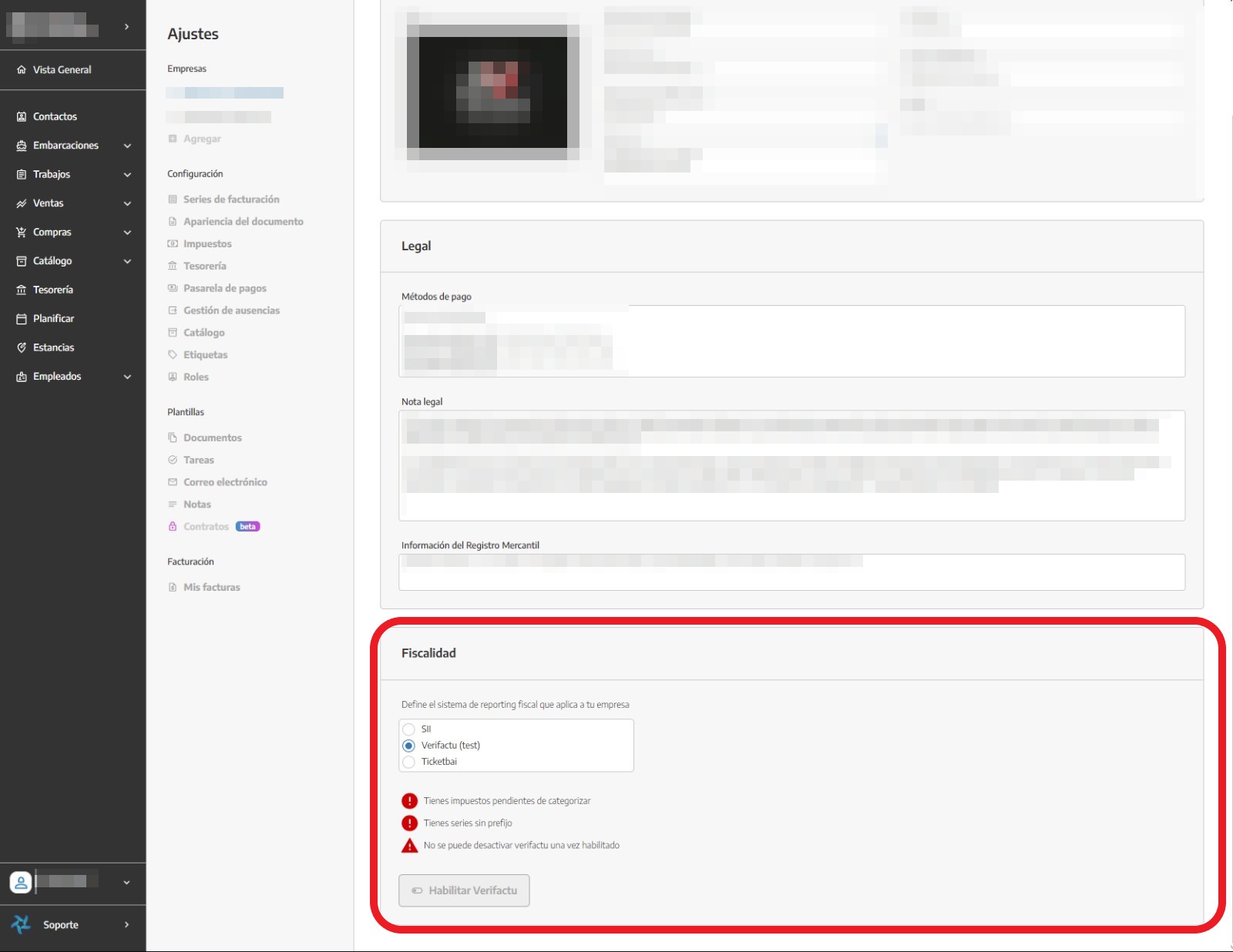
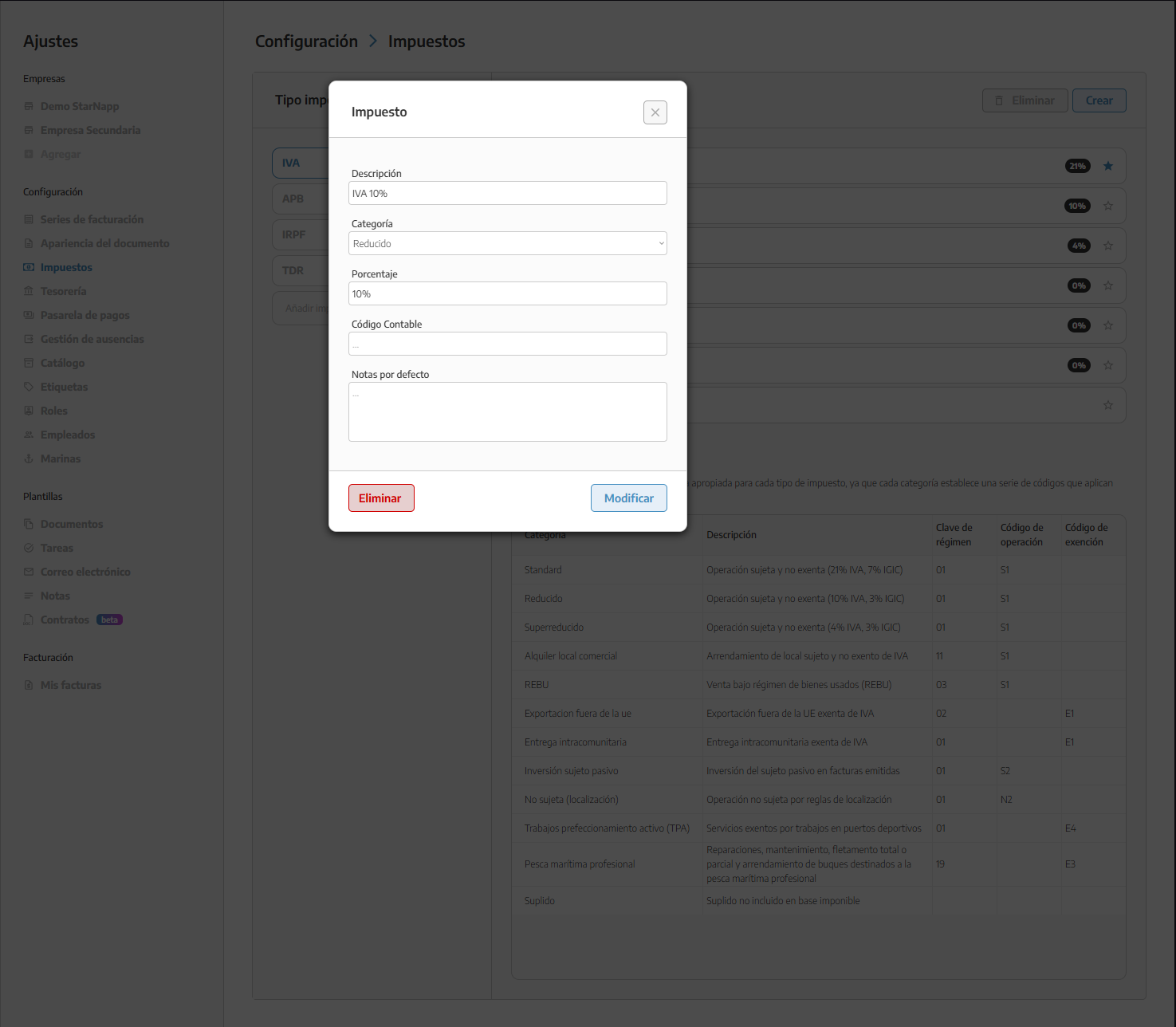
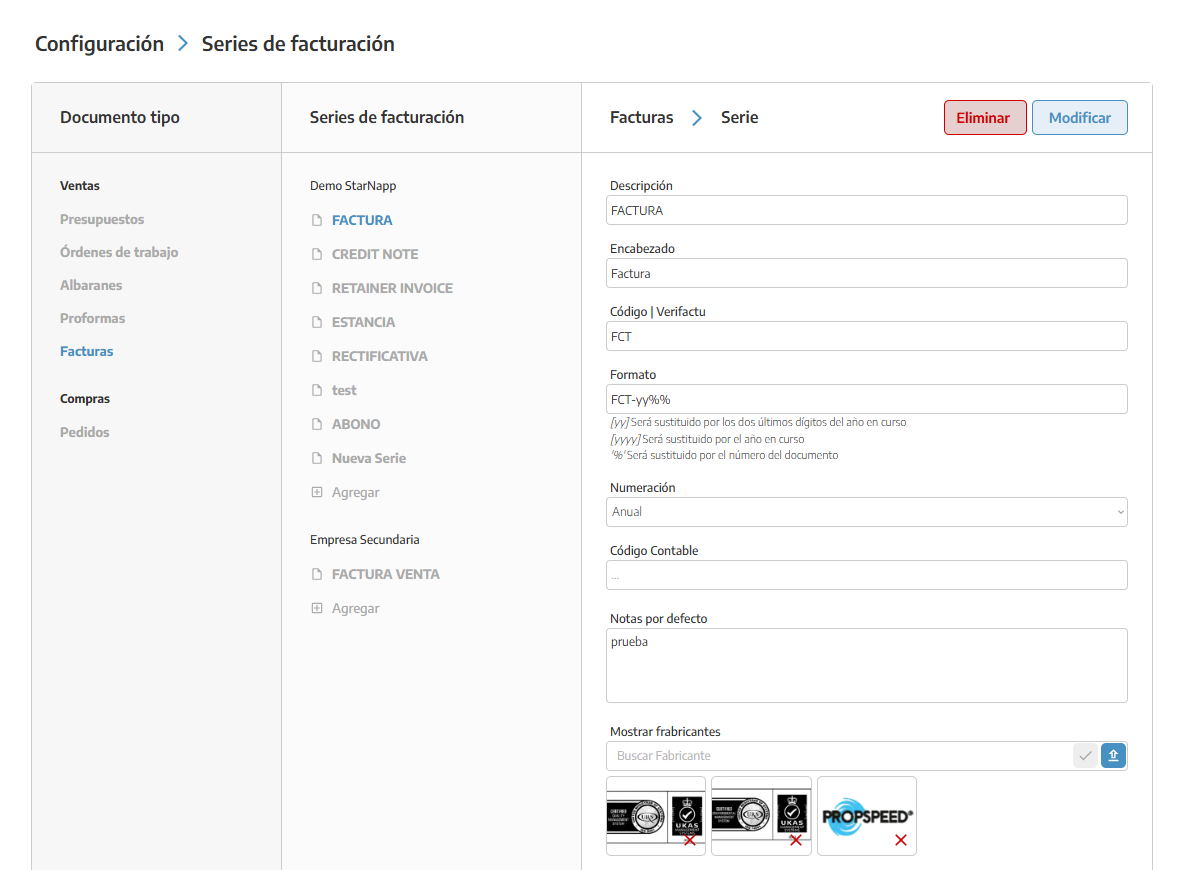
Once these warnings are resolved, we'll be able to activate it. If it's still not possible, we'll check that the company's tax address has been entered correctly.
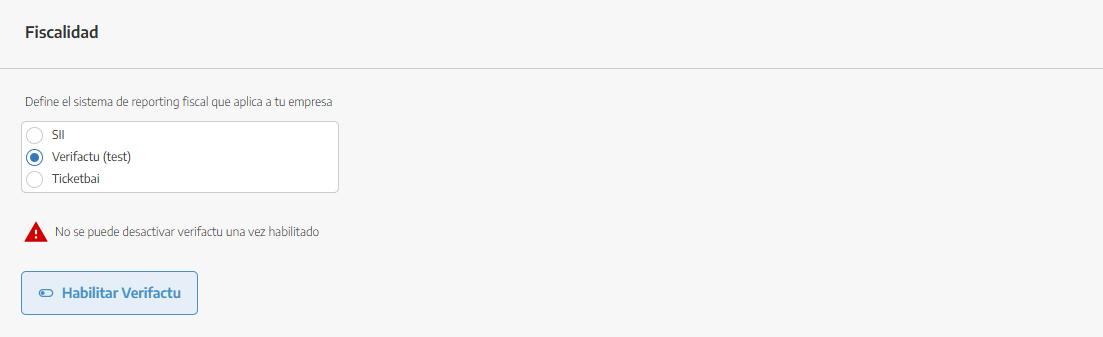
Invoices are currently sent to the AEAT's test server until January 1, 2027; from that date onward, reporting will start officially.
This guide only applies to companies with a tax domicile in Spain; the rest of the Sales collection (see Invoices) doesn't depend on Verifactu.
Since issued invoices can't be edited, any correction is made with a CREDIT NOTE or a CORRECTIVE INVOICE — see Credit notes and corrective invoices.
The VERIFACTU CODE on each series is a field specific to invoice-type series — it must match the prefix of its numbering format (see Billing series and document numbering).
For any questions, contact our support team.
