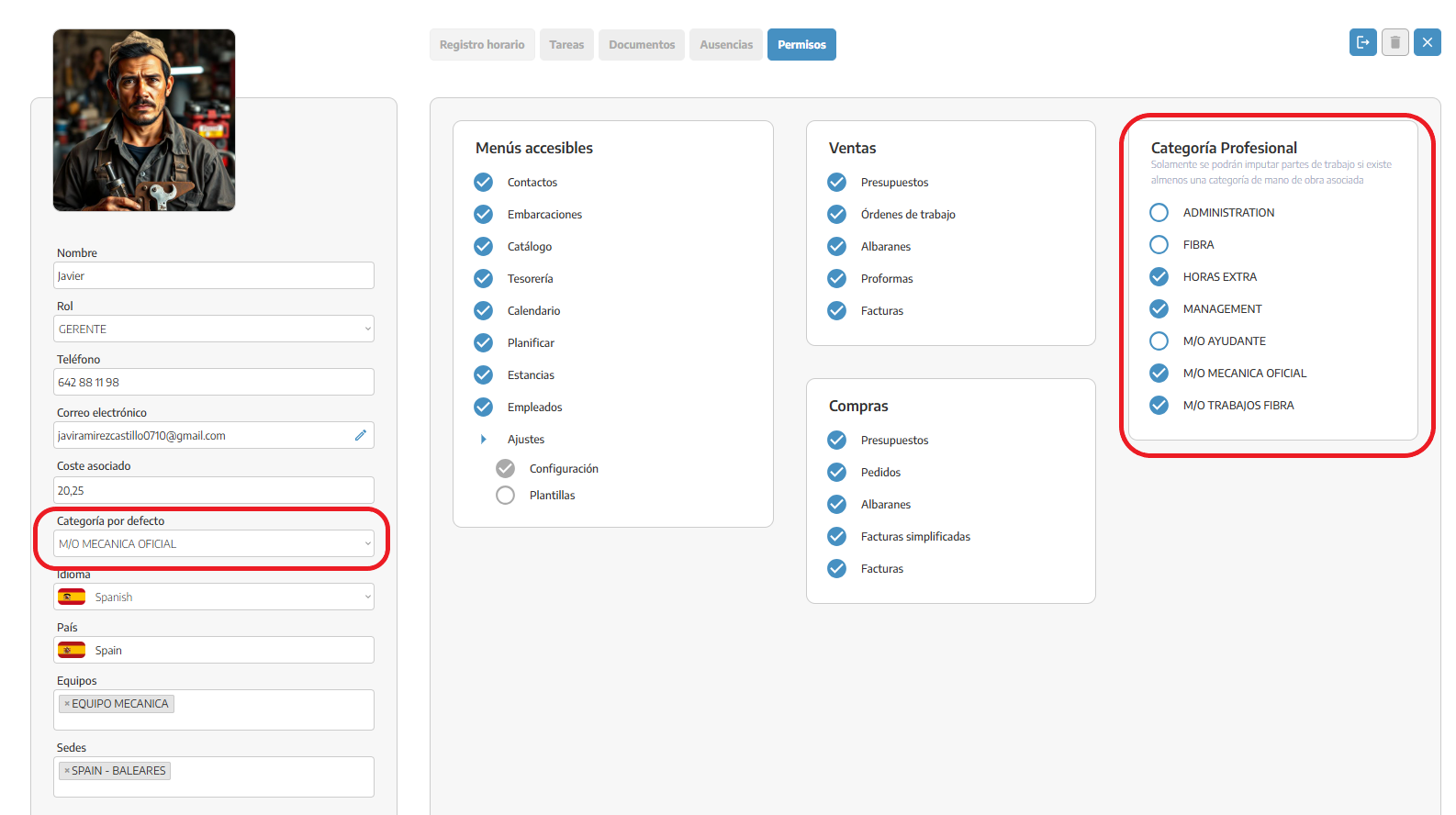
Inside the employee's profile, you can link a professional category that you've saved in your catalog.
On the employee's permissions tab, just check the categories you want to link to them. Then, in the dropdown to pick a category, you'll see all the ones you selected earlier and just pick one.
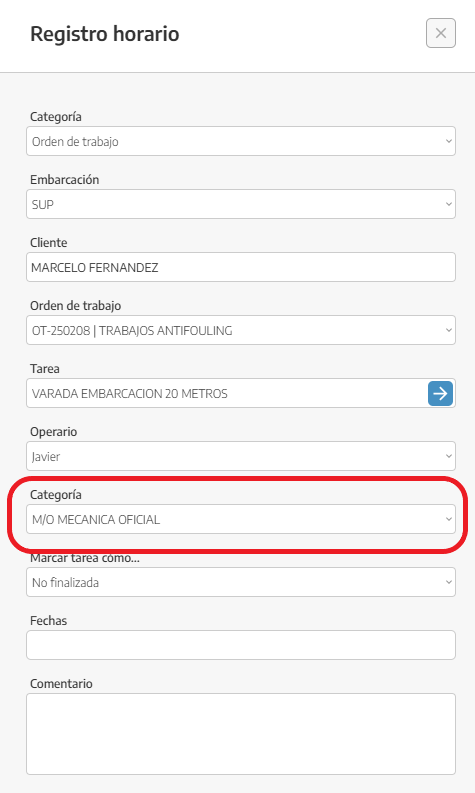
Once the category's picked, you'll see it applied right when the employee logs their hours.